Adobe InDesign 2022(Adobe Indesign 2022 Flashcards)100% Correct!!
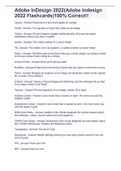
Layout Placement of text and images on a page Pixels Tiny squares of color that make up an image Vector Art and shapes created mathematically, that can be scaled indefinitely without any loss in quality Stroke The visible outline of a vector shape Fill The visible color (or gradient, or pattern) within a vector shape Paths The lines and curves that make up a vector shape, not always visible to the eye unless made visible by a stroke Anchor Points Each point along a path. Handles Extend from the Anchor Points and are used to control the curves Place Bringing an instance of an image into Illustrator, linked to the original file outside of the software Embed Taking a Placed image and attaching it do the InDesign file so that it no longer needs to be linked Opacity The transparency of an image, stroke, fill or layer Additive Colors Color mode that is based on light - the more you add the brighter it gets Subjtractive Colors Color mode that is based on print - the more color you add the darker it gets RGB Color Mode Additive Color Mode designed for monitor-based output, like websites, videos, social media and email graphics CMYK Color Mode Subtractive color mode designed for print-based output, like T-Shirts, Brochures, Posters and Business Cards Typography The art of Type Resolution Raster settings referring to how many pixels would fit into one inch of paper PPI Pixels per Inch DPI Dots per Inch Picas Measurement commonly used in newspapers, magazines, newletters and other print media. 6 Picas fit into 1 inch Typeface The design of each individual character in a font Font Typeface along with additional settings, such as Pitch Pitch The width of text, measured by how many can fit into an inch Fixed Pitch Fonts designed so that all letters have the same width, including typically thin letters like "I" and wide letters like "m" Gradient A subtle change from one color to another Color Stop Points within a gradient that define what colors are used. Pixilation When a raster image is enlarged too much, stretching out the pixels that make them and causing gharish, boxy edges around your shapes PDF Multi-page file format often used for books, brochures and other print media Bleed Expands the document to print on larger paper, then cut down so that images and colors can be printed to the edge Slug Holds information not meant for the final, cut version of the document such as title, color bars, instructions or other identifying information. Thumbnail Tiny preview image Container The box that the text or graphics are contained in, which can be manipulated independently of the element itself Pixilation When a raster image is enlarged too much, stretching out the pixels that make them and causing gharish, boxy edges around your shapes
Información del documento
- Subido en
- 23 de noviembre de 2022
- Número de páginas
- 2
- Escrito en
- 2022/2023
- Tipo
- Examen
- Contiene
- Preguntas y respuestas