Excel/excel 2022/2023
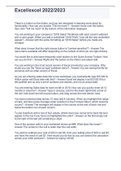
There is a button on the ribbon, and you are interested in learning more about its functionality. How can you access "Tell me more"? Hover over the button, then click "Tell me more" at the bottom of the information displayed. You are working in your company's "2018 Sales" Workbook with each column widened and a color graph. When you add a worksheet "2018 Profit," how will the new worksheet appear? with the same formatting as "2018 Sales" before you made any changes What does it mean that the right mouse button is "context-sensitive"? The menu items available will differ depending on the context of what you are right-clicking . You would like to add some frequently used buttons to the Quick Access Toolbar. How can you do this? Right-click the button on the ribbon and select Add. You are working in the most recent version of Excel provided by your company. Why would you use the "Save as type" pulldown menu? You are saving the file for someone with an older version of Excel. As you are entering sales data into a new worksheet, you inadvertently type 6/31/2019. Which action will Excel take with this? Excel will display it as 6/31/2019 but left-justified and as only a set of numbers and dashes, and not an actual date. You are entering Sales data for each month in 2018. How can you quickly enter all 12 months in columns? Type in January, point to the lower right-hand corner of the cell, hold down the left mouse button, and drag across the next eleven rows. You have numerical data across 12 rows and 4 columns. When you highlight this range of cells, and then press Average under AutoSum in the Formula ribbon, which outcome occurs? The averages will display in the column at the end of each row and below the bottom row of each column. To use AutoSum with a row of four values, where must your cursor be to have the sum appear in the row if you have not highlighted the cells? on the first empty cell to the right of the last cell containing a value One of the number cells in your worksheet shows as ###. What does this mean? The content in the cell is wider than the cell width. You want to subtract your cost of 250 in cell D6, from your selling price of 400 in cell D5, and have the result in cell D7. How would you do this so you can extend the calculation across your other products? by typing =d5-d6 How can you quickly add a border around a set of cells covering 3 rows and 12 columns? Use Draw Border under Border on the ribbon under Home. Your worksheet includes data for your company's IT department. How can you use Find & Select to quickly capitalize the many instances of IT appearing in the worksheet? Use the "Match entire cell contents" option under Replace. How would you most efficiently test a layout adjustment before printing on paper? Use Print Preview as a trial and error. Which primary function does the Excel Ideas feature serve? You can explore charting variations for your data sets. You created a bar chart with the bars for the products and the colors for the salesperson. If you click Switch Row Column, what will happen? You are correct! The bars will change to salespeople, and the colors will change to products. The bars will change to salespeople, and the colors will change to products. What is the first step in creating a chart with Excel Office 365? You are correct! Highlight the data you want to show in the chart. Highlight the data you want to show in the chart. Before you create a chart in Excel, how would you have the chart appear? You are correct! Remove any totals next to your data. Remove any totals next to your data. How can you remove a split other than by clicking the Split button under View? You are correct! by double-clicking the split line by double-clicking the split line
Información del documento
- Subido en
- 22 de octubre de 2022
- Número de páginas
- 3
- Escrito en
- 2022/2023
- Tipo
- Examen
- Contiene
- Preguntas y respuestas