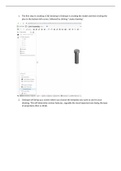
1. The first step in creating a CAD drawing in Onshape is creating the model and then clicking the
plus in the bottom left corner, followed by clicking “create drawing”.
2. Onshape will bring up a screen where you choose the template you want to use for your
drawing. This will determine various features, arguably the most important one being the type
of projections (first vs third).
plus in the bottom left corner, followed by clicking “create drawing”.
2. Onshape will bring up a screen where you choose the template you want to use for your
drawing. This will determine various features, arguably the most important one being the type
of projections (first vs third).