

PROGRAMMING FOR PROBLEM SOLVING USING C
UNIT I
Introduction to Computers: Computer Systems, Computing Environments, Computer languages,
Creating and running Programs, Computer Numbering System, Storing Integers, Storing Real
Numbers
Introduction to the C Language: Background, C Programs, Identifiers, Types, Variable,
Constants, Input/output, Programming Examples, Scope, Storage Classes and Type Qualifiers,
Tips and Common Programming Errors Key Terms, Summary, Practice Seat.
Structure of a C Program: Expressions Precedence and Associativity, Side Effects, Evaluating
Expressions, Type Conversion Statements, Simple Programs, Command Line Arguments Tips and
Common Errors, Key Terms, Summary, Practice Sets.
Computer Systems:-
A computer is a system made of two major components: hardware and
software. The computer hardware is the physical equipment. The software is the
collection of programs (instructions) that allow the hardware to do its job.
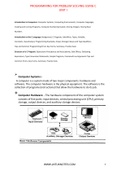
Computer Hardware: - The hardware component of the computer system
consists of five parts: input devices, central processing unit (CPU) ,primary
storage, output devices, and auxiliary storage devices.
WWW.JNTUKNOTES.COM 1
, The input device is usually a keyboard where programs and data are
entered into the computers. Examples of other input devices include
a mouse, a pen or stylus, a touch screen, or an audio input unit.
The central processing unit (CPU) is responsible for executing
instructions such as arithmetic calculations, comparisons
among data, and movement of data inside the system.
The output device is usually a monitor or a printer to show output. If
the output is shown on the monitor, we say we have a soft copy. If it is
printed on the printer, we say we have a hard copy.
Auxiliary storage, also known as secondary storage, is used for both input
and output. It is the place where the programs and data are stored
permanently. When we turn off the computer, or programs and data
remain in the secondary storage, ready for the next time we need them.
Computer Software :-
Computer software is divided in to two broad categories:
system software and application software.
System software manages the computer resources .It provides
the interface between the hardware and the users.
Application software, on the other hand is directly responsible
for helping users solve their problems.
Computing Environments:-
Computing Environment is a collection of computers / machines,
software, and networks that support the processing and exchange of
electronic information meant to support various types of computing
solutions. With the advent if technology the computing environments
have been improved.
Types of Computing Environments:-
1. Personal Computing Environment
2. Time sharing Environment
3. Client Server Computing Environment
4. Distributed Computing
1. Personal Computing Environment:-
Personal means, all the computer stuff will be tied together i.e
computer is completely ours, no other Connections.
2. Time sharing Environment:-
WWW.JNTUKNOTES.COM 2
, In computing, time-sharing is the sharing of a computing resource
among many users by means of multi programming and multi-tasking at the
same time. Mam users are connected to one or more computers.
3. Client Server Computing Environment:-
A client/server system is “a networked computing model that
distributes processes between clients and servers, which supply the requested
service.” A client/server network connects many computers, called clients, to a
main computer, called a server. Whenever client requests for something,
server receives the request and process it.
4. Distributed Computing:-
A Distributed Computing Environment Provides a seamless
integration of computing functions between different servers and
clients. the servers are connected by internet all over the world.
Computer Languages:-
To write a program for a computer, we must use a computer
language. Over the years computer languages have evolved from
machine languages to natural languages.
1940’s Machine level Languages
1950’s Symbolic Languages
1960’s High-Level Languages
Machine Languages:-
In the earliest days of computers, the only programming
languages available were machine languages. Each computer has its own
machine language, which is made of streams of 0’s and 1’s.
Instructions in machine language must be in streams of 0’s and 1’s because
the internal circuits of a computer are made of switches transistors and other
electronic devices that can be in one of two states: off or on. The off state is
represented by 0 , the on state is represented by 1.
The only language understood by computer hardware is machine language.
Symbolic Languages:-
In early 1950’s Admiral Grace Hopper, A mathematician and naval
officer developed the concept of a special computer program that would
convert programs into machine language.
WWW.JNTUKNOTES.COM 3
, Computer does not understand symbolic language it must be
translated to the machine language. A special program called
assembler translates symbolic code into machine language.
High Level Languages:-
Symbolic languages greatly improved programming effificiency;
they still required programmers to concentrate on the hardware that
they were using.
Working with symbolic languages was also very tedious because each
machine instruction has to be individually coded. The desire to improve
programmer efficiency and to change the focus from the computer to
the problem being solved led to the development of high-level language.
Creating and running Programs:-
Generally, the programs created using programming languages
like C, C++, Java, etc., are written using a high-level language like
English. But, the computer cannot understand the high-level
language.
It can understand only low-level language. So, the program
written in high-level language needs to be converted into the
low-level language to make it understandable for the
computer. This conversion is performed using either
Interpreter or Compiler.
Popular programming languages like C, C++, Java, etc., use the
compiler to convert high-level language instructions into low-
level language instructions.
To create and execute C programs in Windows Operating
System, we need to install Turbo C software. We use the
following steps to create and execute C programs in Windows
OS…
WWW.JNTUKNOTES.COM 4
UNIT I
Introduction to Computers: Computer Systems, Computing Environments, Computer languages,
Creating and running Programs, Computer Numbering System, Storing Integers, Storing Real
Numbers
Introduction to the C Language: Background, C Programs, Identifiers, Types, Variable,
Constants, Input/output, Programming Examples, Scope, Storage Classes and Type Qualifiers,
Tips and Common Programming Errors Key Terms, Summary, Practice Seat.
Structure of a C Program: Expressions Precedence and Associativity, Side Effects, Evaluating
Expressions, Type Conversion Statements, Simple Programs, Command Line Arguments Tips and
Common Errors, Key Terms, Summary, Practice Sets.
Computer Systems:-
A computer is a system made of two major components: hardware and
software. The computer hardware is the physical equipment. The software is the
collection of programs (instructions) that allow the hardware to do its job.
Computer Hardware: - The hardware component of the computer system
consists of five parts: input devices, central processing unit (CPU) ,primary
storage, output devices, and auxiliary storage devices.
WWW.JNTUKNOTES.COM 1
, The input device is usually a keyboard where programs and data are
entered into the computers. Examples of other input devices include
a mouse, a pen or stylus, a touch screen, or an audio input unit.
The central processing unit (CPU) is responsible for executing
instructions such as arithmetic calculations, comparisons
among data, and movement of data inside the system.
The output device is usually a monitor or a printer to show output. If
the output is shown on the monitor, we say we have a soft copy. If it is
printed on the printer, we say we have a hard copy.
Auxiliary storage, also known as secondary storage, is used for both input
and output. It is the place where the programs and data are stored
permanently. When we turn off the computer, or programs and data
remain in the secondary storage, ready for the next time we need them.
Computer Software :-
Computer software is divided in to two broad categories:
system software and application software.
System software manages the computer resources .It provides
the interface between the hardware and the users.
Application software, on the other hand is directly responsible
for helping users solve their problems.
Computing Environments:-
Computing Environment is a collection of computers / machines,
software, and networks that support the processing and exchange of
electronic information meant to support various types of computing
solutions. With the advent if technology the computing environments
have been improved.
Types of Computing Environments:-
1. Personal Computing Environment
2. Time sharing Environment
3. Client Server Computing Environment
4. Distributed Computing
1. Personal Computing Environment:-
Personal means, all the computer stuff will be tied together i.e
computer is completely ours, no other Connections.
2. Time sharing Environment:-
WWW.JNTUKNOTES.COM 2
, In computing, time-sharing is the sharing of a computing resource
among many users by means of multi programming and multi-tasking at the
same time. Mam users are connected to one or more computers.
3. Client Server Computing Environment:-
A client/server system is “a networked computing model that
distributes processes between clients and servers, which supply the requested
service.” A client/server network connects many computers, called clients, to a
main computer, called a server. Whenever client requests for something,
server receives the request and process it.
4. Distributed Computing:-
A Distributed Computing Environment Provides a seamless
integration of computing functions between different servers and
clients. the servers are connected by internet all over the world.
Computer Languages:-
To write a program for a computer, we must use a computer
language. Over the years computer languages have evolved from
machine languages to natural languages.
1940’s Machine level Languages
1950’s Symbolic Languages
1960’s High-Level Languages
Machine Languages:-
In the earliest days of computers, the only programming
languages available were machine languages. Each computer has its own
machine language, which is made of streams of 0’s and 1’s.
Instructions in machine language must be in streams of 0’s and 1’s because
the internal circuits of a computer are made of switches transistors and other
electronic devices that can be in one of two states: off or on. The off state is
represented by 0 , the on state is represented by 1.
The only language understood by computer hardware is machine language.
Symbolic Languages:-
In early 1950’s Admiral Grace Hopper, A mathematician and naval
officer developed the concept of a special computer program that would
convert programs into machine language.
WWW.JNTUKNOTES.COM 3
, Computer does not understand symbolic language it must be
translated to the machine language. A special program called
assembler translates symbolic code into machine language.
High Level Languages:-
Symbolic languages greatly improved programming effificiency;
they still required programmers to concentrate on the hardware that
they were using.
Working with symbolic languages was also very tedious because each
machine instruction has to be individually coded. The desire to improve
programmer efficiency and to change the focus from the computer to
the problem being solved led to the development of high-level language.
Creating and running Programs:-
Generally, the programs created using programming languages
like C, C++, Java, etc., are written using a high-level language like
English. But, the computer cannot understand the high-level
language.
It can understand only low-level language. So, the program
written in high-level language needs to be converted into the
low-level language to make it understandable for the
computer. This conversion is performed using either
Interpreter or Compiler.
Popular programming languages like C, C++, Java, etc., use the
compiler to convert high-level language instructions into low-
level language instructions.
To create and execute C programs in Windows Operating
System, we need to install Turbo C software. We use the
following steps to create and execute C programs in Windows
OS…
WWW.JNTUKNOTES.COM 4

