
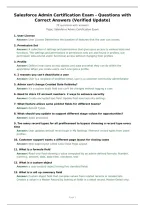
Salesforce Admin Certification Exam - Questions with
Correct Answers (Verified Update)
78 questions with answers
Topic: Salesforce Admin Certification Exam
1. User License
Answer: User License Determines the baseline of features that the user can access.
2. Permission Set
Answer: A collection of settings and permissions that give users access to various tools and
functions. The settings and permissions in permission sets are also found in profiles, but
permission sets extend users' functional access without changing their profiles
3. Profile
Answer: Defines how users access objects and data and what they can do within the
application When you create users, each one gets a profile.
4. 2 reasons you can't deactivate a user
Answer: User is a recipient of workflow email, user is a customer community administrator
5. Admin can't change Created Date fieldwhy?
Answer: It's a system audit field and can't be changed without logging a case
6. Need to store CC account numbers. 2 ways to enhance security
Answer: Create encrypted text field. Update field level security settings
7. What feature allows same picklist fields for different teams?
Answer: Record Types
8. What should you update to support different stage values for opportunities?
Answer: Sales processes
9. Too many record types for all profilesneed to bypass choosing a record type every
time
Answer: User updates default record type in My Settings / Remove record types from users'
profiles
10. Customer support wants a different page layout for closing cases
Answer: New page layout called Case Close Page Layout
11. What is a formula field
Answer: Read only field showing a value computed by an admin-defined formula: Number,
currency, percent, date, date-time, checkbox, text
12. What is a custom object
Answer: a user-created object having five standard fields
13. What is a roll up summary field
Answer: Custom object field that compiles values from related records or related lists.
Creates a value in a Master Record by looking at fields in a detail record. Master-Detail only.
Page 1
, 14. Lookup field
Answer: One to many relationship, Links two objects together. No effect on deletion or
security. Lookup relationships are similar to master-detail relationships, except they do not
support sharing or roll-up summary fields. With a lookup relationship, you can: Link two
different objects or Link an object with itself (with the exception of the user object; see
Hierarchical).
15. Master-Detail
Answer: Closely links objects together such that the master record controls behaviors of the
detail and subdetail record Example: You can define a two-object masterdetail relationship,
such as Account-Expense Report, that extends the relationship to subdetail records, such as
Account-Expense Report- Expense Line Item. You can then perform operations across the
relationship.
16. one-to-many relationship
Answer: Many child objects to one parent object, Example: Country to cities. Relationships
can be Master- Detail, Lookup, Self, Hierarchical
17. Benefit of using Trusted IP ranges
Answer: logging in on a trusted IP address doesn't require ID verification
18. Where do you change password expiration time?
Answer: Profiles
19. Limit report visibility
Answer: Save in a folder shared only with viewers
20. How can you tell who added a field to an account page layout?
Answer: Setup audit trail
21. Private sharing model: narrow visibility of cases to one team
Answer: Create the case teams and use case assignment rules
22. Custom object: some need read / write and some need read only.
Answer: Set object organzation wide defaults to Public read / write, Give one group Profile
R/W permission and the other profile read only permission
23. a Team can't see an object's tab what 2 settings to check?
Answer: Team profiles, Team permission sets
24. Prevent users from selecting the wrong record type
Answer: Remove the record type as an Assigned record type in profiles and/or permission
sets
25. Admin can't share a report folder
Answer: folder set to private
26. What are sharing rules
Answer: Gives users special access my making exceptions to org-wide settings. Extends
sharing access to public groups, roles or territories
27. Role Hierarchy
Answer: use with sharing settings to determine the level of access that users have to data.
Roles in hierarchy affect components like records or reports
Page 2
Correct Answers (Verified Update)
78 questions with answers
Topic: Salesforce Admin Certification Exam
1. User License
Answer: User License Determines the baseline of features that the user can access.
2. Permission Set
Answer: A collection of settings and permissions that give users access to various tools and
functions. The settings and permissions in permission sets are also found in profiles, but
permission sets extend users' functional access without changing their profiles
3. Profile
Answer: Defines how users access objects and data and what they can do within the
application When you create users, each one gets a profile.
4. 2 reasons you can't deactivate a user
Answer: User is a recipient of workflow email, user is a customer community administrator
5. Admin can't change Created Date fieldwhy?
Answer: It's a system audit field and can't be changed without logging a case
6. Need to store CC account numbers. 2 ways to enhance security
Answer: Create encrypted text field. Update field level security settings
7. What feature allows same picklist fields for different teams?
Answer: Record Types
8. What should you update to support different stage values for opportunities?
Answer: Sales processes
9. Too many record types for all profilesneed to bypass choosing a record type every
time
Answer: User updates default record type in My Settings / Remove record types from users'
profiles
10. Customer support wants a different page layout for closing cases
Answer: New page layout called Case Close Page Layout
11. What is a formula field
Answer: Read only field showing a value computed by an admin-defined formula: Number,
currency, percent, date, date-time, checkbox, text
12. What is a custom object
Answer: a user-created object having five standard fields
13. What is a roll up summary field
Answer: Custom object field that compiles values from related records or related lists.
Creates a value in a Master Record by looking at fields in a detail record. Master-Detail only.
Page 1
, 14. Lookup field
Answer: One to many relationship, Links two objects together. No effect on deletion or
security. Lookup relationships are similar to master-detail relationships, except they do not
support sharing or roll-up summary fields. With a lookup relationship, you can: Link two
different objects or Link an object with itself (with the exception of the user object; see
Hierarchical).
15. Master-Detail
Answer: Closely links objects together such that the master record controls behaviors of the
detail and subdetail record Example: You can define a two-object masterdetail relationship,
such as Account-Expense Report, that extends the relationship to subdetail records, such as
Account-Expense Report- Expense Line Item. You can then perform operations across the
relationship.
16. one-to-many relationship
Answer: Many child objects to one parent object, Example: Country to cities. Relationships
can be Master- Detail, Lookup, Self, Hierarchical
17. Benefit of using Trusted IP ranges
Answer: logging in on a trusted IP address doesn't require ID verification
18. Where do you change password expiration time?
Answer: Profiles
19. Limit report visibility
Answer: Save in a folder shared only with viewers
20. How can you tell who added a field to an account page layout?
Answer: Setup audit trail
21. Private sharing model: narrow visibility of cases to one team
Answer: Create the case teams and use case assignment rules
22. Custom object: some need read / write and some need read only.
Answer: Set object organzation wide defaults to Public read / write, Give one group Profile
R/W permission and the other profile read only permission
23. a Team can't see an object's tab what 2 settings to check?
Answer: Team profiles, Team permission sets
24. Prevent users from selecting the wrong record type
Answer: Remove the record type as an Assigned record type in profiles and/or permission
sets
25. Admin can't share a report folder
Answer: folder set to private
26. What are sharing rules
Answer: Gives users special access my making exceptions to org-wide settings. Extends
sharing access to public groups, roles or territories
27. Role Hierarchy
Answer: use with sharing settings to determine the level of access that users have to data.
Roles in hierarchy affect components like records or reports
Page 2

