
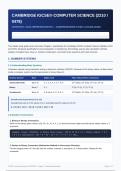
CAMBRIDGE IGCSE® COMPUTER SCIENCE (2210 /
0478)
CHAPTER 1: DATA REPRESENTATION — COMPREHENSIVE STUDY & EXAM GUIDE
Syllabus Reference: Section 1.1 - 1.3 Target Grades: A* / Grade 9 Specialist Notes
Topic: Number Systems, Text, Sound, Images & CompressionFormat: High-Yield Revision Summary for Exam Success
This master study guide covers the entire Chapter 1 specification for Cambridge IGCSE Computer Science (Syllabus 2210
and 0478). Designed specifically for exam preparation, it includes key terminology, step-by-step calculation methods,
syllabus-mandated uses, lossy vs. lossless compression, and model exam questions with mark schemes.
1. NUMBER SYSTEMS
1.1 Understanding Base Systems
Computers operate using transistors acting as electronic switches (ON/OFF). Because of this binary nature, all data stored
inside a computer system must be represented in binary (Base-2).
Number System Base Digits Used Place Values (First 4 Columns)
Denary (Decimal) Base-10 0, 1, 2, 3, 4, 5, 6, 7, 8, 9 103 (1000), 102 (100), 101 (10), 100 (1)
Binary Base-2 0, 1 23 (8), 22 (4), 21 (2), 20 (1)
Hexadecimal Base-16 0–9 and A, B, C, D, E, F 163 (4096), 162 (256), 161 (16), 160 (1)
Hexadecimal Equivalents (0 to 15)
Hexadecimal uses 0–9 for values 0 to 9, and letters A–F for values 10 to 15:
A = 10 | B = 11 | C = 12 | D = 13 | E = 14 | F = 15
1.2 Number Conversions
1. Binary to Denary Conversion:
Write out the binary place values (128, 64, 32, 16, 8, 4, 2, 1) above the binary digits and add up the values where a '1'
is present.
Example: Convert 10110101₂ to Denary Place Values: 128 64 32 16 8 4 2 1 Binary Digits: 1 0 1
1 0 1 0 1 Calculation: 128 + 0 + 32 + 16 + 0 + 4 + 0 + 1 = 181₁₀
2. Denary to Binary Conversion (Subraction Method or Successive Division):
Find the largest power of 2 that fits into the number, subtract it, and place a 1 in that position. Repeat for the
remainder.
IGCSE Computer Science (2210/0478) - Chapter 1: Data Representation Page 1 of 7
, Example: Convert 157₁₀ to Binary (8-bit) 157 >= 128 -> Put 1 (Rem: 157 - 128 = 29) 29 < 64 ->
Put 0 29 < 32 -> Put 0 29 >= 16 -> Put 1 (Rem: 29 - 16 = 13) 13 >= 8 -> Put 1 (Rem: 13 - 8 =
5) 5 >= 4 -> Put 1 (Rem: 5 - 4 = 1) 1 < 2 -> Put 0 1 >= 1 -> Put 1 (Rem: 0) Result: 10011101₂
3. Binary to Hexadecimal Conversion:
Split the binary number into nibbles (4-bit chunks) from right to left. Convert each nibble into its hexadecimal digit.
Example: Convert 11101010₂ to Hexadecimal Step 1: Split into nibbles: [1110] [1010] Step 2:
Convert left nibble: 8+4+2+0 = 14 = E Step 3: Convert right nibble: 8+0+2+0 = 10 = A Result:
EA₁₆
4. Hexadecimal to Binary Conversion:
Convert each individual Hex digit into a 4-bit binary nibble.
Example: Convert 3F₁₆ to Binary Digit 3 = 0011₂ Digit F = 1111₂ (since F = 15) Result:
00111111₂
1.3 Why Use Hexadecimal? (High-Yield Exam Topic)
CRITICAL EXAM POINT: Why Hexadecimal is Preferred over Binary
Computers NEVER process or store hexadecimal directly; computers only work in binary. Humans use hexadecimal
as a representation tool because:
• It is much shorter and easier for humans to read, write, and remember.
• It significantly reduces human transcription errors when copying long bit streams.
• It is extremely easy to convert between Binary and Hexadecimal (1 hex digit = exactly 4 binary bits).
Use Case of Hexadecimal Description & Example
Media Access Control addresses uniquely identify NICs on a network. Formatted as 6 pairs
MAC Addresses
of hex digits (e.g., 00:1A:2B:3C:4D:5E ).
Represents Red, Green, Blue intensity (00 to FF). E.g., #FF0000 is pure Red, #00FF00
HTML / RGB Color Codes
is Green, #000000 is Black.
Memory Dumps / Error Used when debugging memory contents during software crashes (e.g., 0x80070002 ).
Codes Displays vast RAM addresses concisely.
Assembly Language / Low-level computer instructions use hex opcodes (e.g., B8 21 01 ) rather than raw binary
Machine Code bits for software development.
1.4 Binary Addition & Overflow Errors
Binary addition follows four standard mathematical rules:
• 0 + 0 = 0
• 0 + 1 = 1
• 1 + 1 = 0 (carry 1)
IGCSE Computer Science (2210/0478) - Chapter 1: Data Representation Page 2 of 7
0478)
CHAPTER 1: DATA REPRESENTATION — COMPREHENSIVE STUDY & EXAM GUIDE
Syllabus Reference: Section 1.1 - 1.3 Target Grades: A* / Grade 9 Specialist Notes
Topic: Number Systems, Text, Sound, Images & CompressionFormat: High-Yield Revision Summary for Exam Success
This master study guide covers the entire Chapter 1 specification for Cambridge IGCSE Computer Science (Syllabus 2210
and 0478). Designed specifically for exam preparation, it includes key terminology, step-by-step calculation methods,
syllabus-mandated uses, lossy vs. lossless compression, and model exam questions with mark schemes.
1. NUMBER SYSTEMS
1.1 Understanding Base Systems
Computers operate using transistors acting as electronic switches (ON/OFF). Because of this binary nature, all data stored
inside a computer system must be represented in binary (Base-2).
Number System Base Digits Used Place Values (First 4 Columns)
Denary (Decimal) Base-10 0, 1, 2, 3, 4, 5, 6, 7, 8, 9 103 (1000), 102 (100), 101 (10), 100 (1)
Binary Base-2 0, 1 23 (8), 22 (4), 21 (2), 20 (1)
Hexadecimal Base-16 0–9 and A, B, C, D, E, F 163 (4096), 162 (256), 161 (16), 160 (1)
Hexadecimal Equivalents (0 to 15)
Hexadecimal uses 0–9 for values 0 to 9, and letters A–F for values 10 to 15:
A = 10 | B = 11 | C = 12 | D = 13 | E = 14 | F = 15
1.2 Number Conversions
1. Binary to Denary Conversion:
Write out the binary place values (128, 64, 32, 16, 8, 4, 2, 1) above the binary digits and add up the values where a '1'
is present.
Example: Convert 10110101₂ to Denary Place Values: 128 64 32 16 8 4 2 1 Binary Digits: 1 0 1
1 0 1 0 1 Calculation: 128 + 0 + 32 + 16 + 0 + 4 + 0 + 1 = 181₁₀
2. Denary to Binary Conversion (Subraction Method or Successive Division):
Find the largest power of 2 that fits into the number, subtract it, and place a 1 in that position. Repeat for the
remainder.
IGCSE Computer Science (2210/0478) - Chapter 1: Data Representation Page 1 of 7
, Example: Convert 157₁₀ to Binary (8-bit) 157 >= 128 -> Put 1 (Rem: 157 - 128 = 29) 29 < 64 ->
Put 0 29 < 32 -> Put 0 29 >= 16 -> Put 1 (Rem: 29 - 16 = 13) 13 >= 8 -> Put 1 (Rem: 13 - 8 =
5) 5 >= 4 -> Put 1 (Rem: 5 - 4 = 1) 1 < 2 -> Put 0 1 >= 1 -> Put 1 (Rem: 0) Result: 10011101₂
3. Binary to Hexadecimal Conversion:
Split the binary number into nibbles (4-bit chunks) from right to left. Convert each nibble into its hexadecimal digit.
Example: Convert 11101010₂ to Hexadecimal Step 1: Split into nibbles: [1110] [1010] Step 2:
Convert left nibble: 8+4+2+0 = 14 = E Step 3: Convert right nibble: 8+0+2+0 = 10 = A Result:
EA₁₆
4. Hexadecimal to Binary Conversion:
Convert each individual Hex digit into a 4-bit binary nibble.
Example: Convert 3F₁₆ to Binary Digit 3 = 0011₂ Digit F = 1111₂ (since F = 15) Result:
00111111₂
1.3 Why Use Hexadecimal? (High-Yield Exam Topic)
CRITICAL EXAM POINT: Why Hexadecimal is Preferred over Binary
Computers NEVER process or store hexadecimal directly; computers only work in binary. Humans use hexadecimal
as a representation tool because:
• It is much shorter and easier for humans to read, write, and remember.
• It significantly reduces human transcription errors when copying long bit streams.
• It is extremely easy to convert between Binary and Hexadecimal (1 hex digit = exactly 4 binary bits).
Use Case of Hexadecimal Description & Example
Media Access Control addresses uniquely identify NICs on a network. Formatted as 6 pairs
MAC Addresses
of hex digits (e.g., 00:1A:2B:3C:4D:5E ).
Represents Red, Green, Blue intensity (00 to FF). E.g., #FF0000 is pure Red, #00FF00
HTML / RGB Color Codes
is Green, #000000 is Black.
Memory Dumps / Error Used when debugging memory contents during software crashes (e.g., 0x80070002 ).
Codes Displays vast RAM addresses concisely.
Assembly Language / Low-level computer instructions use hex opcodes (e.g., B8 21 01 ) rather than raw binary
Machine Code bits for software development.
1.4 Binary Addition & Overflow Errors
Binary addition follows four standard mathematical rules:
• 0 + 0 = 0
• 0 + 1 = 1
• 1 + 1 = 0 (carry 1)
IGCSE Computer Science (2210/0478) - Chapter 1: Data Representation Page 2 of 7

