
Cysa Commands, Ports, Tools Exam
Questions and Answers with Verified
Solutions | Latest Updated 2026
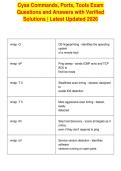
nmap -O OS fingerprinting - identifies the operating
system
of a remote host
nmap -sP Ping sweep - sends ICMP echo and TCP
ACK to
find live hosts
nmap -T 0 Stealthiest scan timing - slowest, designed
to
evade IDS detection
nmap -T 5 Most aggressive scan timing - fastest,
easily
detected
nmap -Pn Skip host discovery - scans all targets as if
online,
even if they don't respond to ping
nmap -sV Service version detection - identifies
software
versions running on open ports
, netstat -o Shows the Process ID (PID) associated
with each
active connection
netstat -e Displays ethernet statistics - useful for
detecting
unusual data sent/received volumes
netstat -a Shows all active connections and listening
ports
netcat -l Sets up a listening port - used to receive
incoming
connections
netcat -z Zero I/O mode - used for port scanning
without
sending data
netcat -e Executes a program after connection -
used to
spawn shells (e.g., reverse shells)
netcat -v Verbose mode - provides detailed output
about
connections
netcat -t Limits connections to TCP ports only
netcat -u Limits connections to UDP ports only
Questions and Answers with Verified
Solutions | Latest Updated 2026
nmap -O OS fingerprinting - identifies the operating
system
of a remote host
nmap -sP Ping sweep - sends ICMP echo and TCP
ACK to
find live hosts
nmap -T 0 Stealthiest scan timing - slowest, designed
to
evade IDS detection
nmap -T 5 Most aggressive scan timing - fastest,
easily
detected
nmap -Pn Skip host discovery - scans all targets as if
online,
even if they don't respond to ping
nmap -sV Service version detection - identifies
software
versions running on open ports
, netstat -o Shows the Process ID (PID) associated
with each
active connection
netstat -e Displays ethernet statistics - useful for
detecting
unusual data sent/received volumes
netstat -a Shows all active connections and listening
ports
netcat -l Sets up a listening port - used to receive
incoming
connections
netcat -z Zero I/O mode - used for port scanning
without
sending data
netcat -e Executes a program after connection -
used to
spawn shells (e.g., reverse shells)
netcat -v Verbose mode - provides detailed output
about
connections
netcat -t Limits connections to TCP ports only
netcat -u Limits connections to UDP ports only

