

EHR Go Knowledge Activity: Implementing Clinical Decision Support (Baccalaureate) HBK1015,2- Answered 100% Correct | Updated 2025/26.
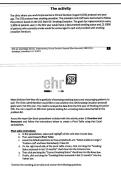
EHR Go Knowledge Activity: Implementing Clinical Decision Support (Baccalaureate) HBK1015,2- Answered 100% Correct | Updated 2025/26. The activity The clinic where you work implemented a Clinical Decision Support (CDS) protocol one year ago. The CDS protocol was smoking cessation. The providers and staff were instructed to follow the protocol based on the CDS Start Kit: Smoking Cessation. The goals for implementation were, 1) 80% of patients seen in the first year would have a documented smoking status and, 2) 100% of patients who currently smoke would be encouraged to quit and provided with smoking cessation literature. EHR Go Knowledge Activity: Implementing Cinical Decision Support (Baccalaureate) HBK1015,2 Archetype Innovations LLC ©2021 i ba Most clinicians feel they did a good job of assessing smoking status and encouraging patients to quit. The Clinic administration would like to see whether the CDS Smoking Cessation protocol goals were met this year. You need to analyze the data from the first year of Smoking Cessation' CDS. You ran a report on 500 clinic patients looking for a smoking status documented in the problem list. Access the report (an Excel spreadsheet included with this activity under 1: Overview and Resources) and follow the instructions below to create a Pivot Table using that Excel spreadsheet. Pivot table instructions: a. Inthe spreadsheet, select and highlight all the cells that include data. b. Then select InsertPivot Table c. Leave the default selections as they are (defaults are: "Select a table or range"/ 'Problem List* and New Worksheet). Press OK. d. On the right-hand side of the pivot table screen, click and drag the "Smoking Status assessed in last 12 months" check box into the Columns box. e. Thenclick and drag the "Current Smoking Status" check box into the Rows box. f. Finally, click and drag the "Smoking Status assessed in last 12 months" into the Values box. Examine the resulting pivot table and answer the following questions. Show less
Información del documento
- Subido en
- 28 de junio de 2026
- Número de páginas
- 9
- Escrito en
- 2025/2026
- Tipo
- Otro
- Personaje
- Desconocido

