
Workday Data Loading for Implementers
Study Guide 2025-2026
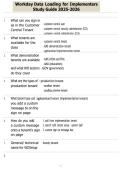
1. What can you sign in
as in the Customer - customer central user
Central Tenant - customer central security administrator (CCS)
- customer central administrator (CCA)
2. What tenants are
available for the - customer central tenant
class - GMS demonstration tenant
- agpbaseload implementation tenant
3. What demonstration
tenants are available - GMS (HCM and FIN)
- AMU (education)
and what WD sectors - GOV (government)
do they cover
4. What are the types of - production tenant
production tenant - sandbox tenant
- sandbox preview tenant
5. What tenant type can agpbaseload tenant (implementation tenant)
you add a custom
message to on the
sign on page
6. How do you add 1. add from implementation tenant
a custom message 2. search "edit tenant setup - system task"
onto a tenant's sign 3. custom sign on message box
on page
7. General/ technical foundry tenant
name for WDSetup
8.
, Workday Data Loading for Implementers
Study Guide 2025-2026
How do you config- 1. be logged in to the CC tenant as a CCA
ure a password for 2. configure implementation default password task
an advanced load 3. enter in the desired password and verify it
9. What is a journey
item
10. What is a card
11. What does the Peo- enable and disable the cards on the homepage viewable to users
ple Experience Work-
space report do
12. What are the two 1. workday-delivered
kinds are cards 2. custom
13. How many workday 65
delivered cards are
there
14. What are custom - created with third-party data
cards - use real-time data from third-party vendors on the Home page
-requires a Workday Journeys subscription
15. What status does a published
card need to be in to
display to users
16. When adding a card, unpublished
what does it display
as in the Home Cards
Workspace
17. Editable card fields
, Workday Data Loading for Implementers
Study Guide 2025-2026
- title
- subtitle
- schedule
- time before and after event
18. What is Workday As- a digital chatbot to help workers retrieve info and complete tasks
sistant
19. Where can you use - workday
Workday Assistant - teams
- slack
20. Steps to enable Peo- 1. log in agpbaseload as implementer
ple Experience func- 2. maintain functional areas task
tional area 3. enable people experience functional area
21. Steps to enable card 1. people experience workspace report
configurations with 2. select add card button
the People Experi- 3. select add/update goal card checkbox
ence Workspace 4. select add to add the card to the homepage
5. use ellipsis next to add/update goal card to publish the card
22. How can you publish use ellipsis next to add/update goal card
a card to the home
page
23. Deployment tools - WDSetup
- foundation recipes
- advanced load
- configuration catalog
- customer central
- migration recipes
- tenant compare
Study Guide 2025-2026
1. What can you sign in
as in the Customer - customer central user
Central Tenant - customer central security administrator (CCS)
- customer central administrator (CCA)
2. What tenants are
available for the - customer central tenant
class - GMS demonstration tenant
- agpbaseload implementation tenant
3. What demonstration
tenants are available - GMS (HCM and FIN)
- AMU (education)
and what WD sectors - GOV (government)
do they cover
4. What are the types of - production tenant
production tenant - sandbox tenant
- sandbox preview tenant
5. What tenant type can agpbaseload tenant (implementation tenant)
you add a custom
message to on the
sign on page
6. How do you add 1. add from implementation tenant
a custom message 2. search "edit tenant setup - system task"
onto a tenant's sign 3. custom sign on message box
on page
7. General/ technical foundry tenant
name for WDSetup
8.
, Workday Data Loading for Implementers
Study Guide 2025-2026
How do you config- 1. be logged in to the CC tenant as a CCA
ure a password for 2. configure implementation default password task
an advanced load 3. enter in the desired password and verify it
9. What is a journey
item
10. What is a card
11. What does the Peo- enable and disable the cards on the homepage viewable to users
ple Experience Work-
space report do
12. What are the two 1. workday-delivered
kinds are cards 2. custom
13. How many workday 65
delivered cards are
there
14. What are custom - created with third-party data
cards - use real-time data from third-party vendors on the Home page
-requires a Workday Journeys subscription
15. What status does a published
card need to be in to
display to users
16. When adding a card, unpublished
what does it display
as in the Home Cards
Workspace
17. Editable card fields
, Workday Data Loading for Implementers
Study Guide 2025-2026
- title
- subtitle
- schedule
- time before and after event
18. What is Workday As- a digital chatbot to help workers retrieve info and complete tasks
sistant
19. Where can you use - workday
Workday Assistant - teams
- slack
20. Steps to enable Peo- 1. log in agpbaseload as implementer
ple Experience func- 2. maintain functional areas task
tional area 3. enable people experience functional area
21. Steps to enable card 1. people experience workspace report
configurations with 2. select add card button
the People Experi- 3. select add/update goal card checkbox
ence Workspace 4. select add to add the card to the homepage
5. use ellipsis next to add/update goal card to publish the card
22. How can you publish use ellipsis next to add/update goal card
a card to the home
page
23. Deployment tools - WDSetup
- foundation recipes
- advanced load
- configuration catalog
- customer central
- migration recipes
- tenant compare


