
Workday Data Loading and Data
Management Exam 2026 Practice Guide
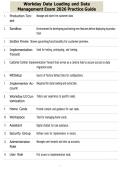
1. Production Ten- Manage and store live customer data
ant
2. Sandbox Environment for developing and testing new features before deploying to produc-
tion
3. Sandbox Preview Shows upcoming functionality for customer preview.
4. Implementation Used for testing, prototyping, and training.
Tenant
5. Customer Central Implementation Tenant that serves as a central hub to secure access to data
migration tools
6. WDSetup Source of Factory Default Data for configurations.
7. Implementer Ac- Required for data loading and extraction.
count
8. Workday UI Cus- Tailors user experience to specific needs.
tomization
9. Home Cards Provide context and guidance for user tasks.
10. Workspace Tool for managing home cards.
11. Assistant Digital chatbot for task assistance.
12. Security Group Defines roles for implementers in tenant.
13. Administrator Manages user tenants and sets up accounts.
Role
14. User Role Full access to implementation tools.
1/7
, Workday Data Loading and Data
Management Exam 2026 Practice Guide
15. Security Adminis- Configures policies and manages account access + IDs
trator Role
16. Tenant Health Displays deployment tool, user setup, and multi-factor status.
Dashboard
17. Deployment Plan: establish project management based on scope, first deployment stage and
Stages initialization of Foundation tenant
Architect/Configure: collaborate on requirements & deploy Workday design using
prototypes, last deployment stages for loading data types
Test: Validate design and readiness
Deploy: Stabilize and transition to customer operations
18. Workday Your Customizable approach for large enterprises.
Way
19. Launch Guided approach for medium enterprises.
20. Factory Default Set of Standard Workday setup data from Foundry Tenant.
Data
21. Setup Defines Workday structure and common standards + generic for all customers
22. Configuration Defines behavior in Workday based on customer requirements.
23. Operation Like setup but adds customer specific details
24. Transaction Represents past events
25. Data Dependen- Object relationships attect loading order.
cy
26. Effective Dates Defaults to current date; can start from 01/01/1900.
27. Public, Internal, Confidential, Restricted, Customer.
2/7
Management Exam 2026 Practice Guide
1. Production Ten- Manage and store live customer data
ant
2. Sandbox Environment for developing and testing new features before deploying to produc-
tion
3. Sandbox Preview Shows upcoming functionality for customer preview.
4. Implementation Used for testing, prototyping, and training.
Tenant
5. Customer Central Implementation Tenant that serves as a central hub to secure access to data
migration tools
6. WDSetup Source of Factory Default Data for configurations.
7. Implementer Ac- Required for data loading and extraction.
count
8. Workday UI Cus- Tailors user experience to specific needs.
tomization
9. Home Cards Provide context and guidance for user tasks.
10. Workspace Tool for managing home cards.
11. Assistant Digital chatbot for task assistance.
12. Security Group Defines roles for implementers in tenant.
13. Administrator Manages user tenants and sets up accounts.
Role
14. User Role Full access to implementation tools.
1/7
, Workday Data Loading and Data
Management Exam 2026 Practice Guide
15. Security Adminis- Configures policies and manages account access + IDs
trator Role
16. Tenant Health Displays deployment tool, user setup, and multi-factor status.
Dashboard
17. Deployment Plan: establish project management based on scope, first deployment stage and
Stages initialization of Foundation tenant
Architect/Configure: collaborate on requirements & deploy Workday design using
prototypes, last deployment stages for loading data types
Test: Validate design and readiness
Deploy: Stabilize and transition to customer operations
18. Workday Your Customizable approach for large enterprises.
Way
19. Launch Guided approach for medium enterprises.
20. Factory Default Set of Standard Workday setup data from Foundry Tenant.
Data
21. Setup Defines Workday structure and common standards + generic for all customers
22. Configuration Defines behavior in Workday based on customer requirements.
23. Operation Like setup but adds customer specific details
24. Transaction Represents past events
25. Data Dependen- Object relationships attect loading order.
cy
26. Effective Dates Defaults to current date; can start from 01/01/1900.
27. Public, Internal, Confidential, Restricted, Customer.
2/7


