Pro Tools 101 Study Guide (2024) Exam Questions With Verified Answers.
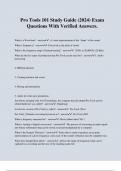
Pro Tools 101 Study Guide (2024) Exam Questions With Verified Answers. What is a Waveform? - answer- A visual representation of the "shape" of the sound What is Frequency? - answer- Perceived as the pitch of sound What is the frequency range of human hearing? - answer- 20 Hz to 20,000 Hz (20 kHz) What are the five types of production that Pro Tools can be used for? - answer1. Audio processing 2. MIDI production 3. Creating notation and scores 4. Mixing and automation 5. Audio for video post production. Just before merging with Avid Technology, the company that developed Pro Tools and its related hardware was called? - answer- Digidesign Avid's free version of Pro Tools is called? - answer- Pro Tools | First Pro Tools | Ultimate was formerly known as? - answer- Pro Tools | HD What is frequency measured in? - answer- Hertz (abbreviated "Hz") What is Analog to Digital conversion? - answer- The process of converting an audio signal into binary information that can be stored, read and manipulated by a computer What is the Nyquist Theorem? - answer- States that in order to produce an accurate representation of a given frequency, each cycle of the sound's vibration must be sampled twice What does Sample Rate affect? - answer- Affects the range of frequencies that can be captured in a recording and the size of the resulting audio file The dynamic range increases by ___ for bit added to the bit depth? - answer- 6 dB - You can estimate the dynamic range capability of a system by multiplying its bit depth by 6. For example, 16-bit x 6 = 96 dB. How can you estimate the dynamic range capability of a system? - answer- By multiplying its bit depth by 6 What are the two types of digital connections used for digital transfer? - answer- S/PDIF (which uses RCA connectors) - AES/EBU (which uses XLR Connectors) Digital Signal Processing is often abbreviated as? - answer- DSP What is the one difference between a Pro Tools system with a USB audio interface and a Pro Tools | HDX system? - answer- The difference is that systems with USB audio interfaces are host-based, while HDX systems are not What happens when you create a Pro Tools session? - answer- The system creates a top-level session folder, various subfolders, and a session file with a .ptx extension What is a WaveCache file? - answer- It stores waveform display data for the audio clips in a Pro Tools session, enabling the session to open more quickly Where are Audio files stored in by default? - answer- The Audio Files Folder, not the session file Where are MIDI files normally stored in? - answer- The session file When turning on the devices in your system, what should be turned on first and last? - answer- External Hard Drives should be turned on first - Your Audio Monitoring System (Speakers) should be turned on last Pro Tools software is protected using? - answer- Pace iLok copy protection. - This system generally uses a USB key to authorize Pro Tools. - As an alternative, you can authorize Pro Tools over the internet using an iLok Cloud session. How can you modify the Hardware Buffer Size? - answer- Choose Setup > Playback Engine What does the Hardware Buffer Size setting affect? - answer1. Host-based tasks (e.g., native plug-in processing) during recording or live input monitoring. 2. Processing power provided during recording or monitoring live input. 3. Monitoring latency during recording. What is Dynamic Plug-in Processing? - answer- Allows the Avid Audio engine to take some plugins offline under certain conditions, reducing the systems overall CPU usage. What is the File menu? - answer- Contains file-based commands such as those used for creating a new session, opening a session, saving a session, importing files, and bouncing What is the Edit menu? - answer- Contains commands used for editing clips. - These include Copy, Cut, Paste, Clear, Duplicate, Repeat and commands for trimming clips, separating clips, and creating fades What is the View menu? - answer- Used to show, hide, or change parts of a window. This includes showing/hiding rulers, showing/hiding Mix and Edit window views (such as Inserts and Sends), and changing the main timescale What is the Track menu? - answer- Contains commands that affect tracks, such as those used for creating new tracks, deleting tracks, and creating a click track What is the Clip menu? - answer- Contains commands that affect clips, such as those used for grouping, looping, and renaming clips. What is the Event menu? - answer- Contains commands related to time, tempo and MIDI operations. - These include Time Operations (e.g., change meter), Tempo Operations (e.g., change tempo), and Event Operations (e.g., quantize) What is the AudioSuite menu? - answer- Used to render audio with AudioSuite plugins. These provide non-realtime (rendered) processing of audio What is the Options menu? - answer- Allows you to enable/disable certain functions or to toggle between several choices related to how a function operates.
École, étude et sujet
- Établissement
- Pro Tools 101
- Cours
- Pro Tools 101
Infos sur le Document
- Publié le
- 3 juillet 2024
- Nombre de pages
- 19
- Écrit en
- 2023/2024
- Type
- Examen
- Contient
- Questions et réponses
Sujets
-
pro tools 101 study guide 2024 exam questions wi

Document également disponible en groupe