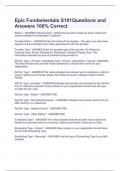
Epic Fundamentals S101Questions and Answers 100% Correct
Status* - ANSWER-Active/Inactive - Setting the provider's status as Active makes the record available for scheduling in Cadence. Provider Name* - ANSWER-Enter the name of the provider - The name you enter here appears to the schedulers who make appointments with this provider. Provider Type - ANSWER-Enter the provider type of the provider. Ex Physician, Physician Asst, Nurse, Perfusionist, Pharmacist, Physical Therapy Asst. This information indicates the type of practitioner the provider is. Ref Src Type = Provider, Scheduling Type = Person, Internal/Ext = Internal - ANSWER-This field indicates the provider record represents a clinician who works for your organization Ref Src Type* - ANSWER-This value indicates the resource you're creating is a referral source. Options are Provider, Media, Non Referral Source, Dialysis Center or Other Patient. Ref Src Type - Provider* - ANSWER-Indicates this provider can be listed as the referred from or referred to provider. Every clinician in your organization should have this type for their Ref Src Type Ref Src Type - Media* - ANSWER-TBD Ref Src Type - Non-Referral Source* - ANSWER-Indicates this provider record is for an MRI machine or a Classroom Ref Src Type - Dialysis Center* - ANSWER-TBD Ref Src Type - Other Patient* - ANSWER-TBD Scheduling Type* - ANSWER-This value indicates that the provider record should be treated as a provider and not a resource. Options are Person, Resource or Class Scheduling Type - Person* - ANSWER-Every person in your organization should have this for their Scheduling Type. Scheduling Type - Resource* - ANSWER-Use this type of Scheduling Type for an MRI machine.
École, étude et sujet
- Établissement
- Epic
- Cours
- Epic
Infos sur le Document
- Publié le
- 24 août 2023
- Nombre de pages
- 3
- Écrit en
- 2023/2024
- Type
- Examen
- Contient
- Questions et réponses
Sujets
-
epic fundamentals s101
-
epic fundamentals s101questions and answers 100

Document également disponible en groupe