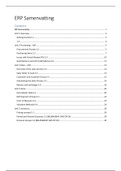
ERP Samenvatting
Contents
ERP Samenvatting ...................................................................................................................................... 1
Unit 1 Overview ....................................................................................................................................... 2
Getting started 1.2 .............................................................................................................................. 3
1.3 ........................................................................................................................................................ 4
Unit 2 Purchasing – A/P: .......................................................................................................................... 5
Procurement Process 2.1 .................................................................................................................... 5
Purchasing Items 2.2 ........................................................................................................................... 7
Issues with Goods Receipt POs 2.5.................................................................................................... 10
Good Returns and A/P Credit Memos 2.6 ......................................................................................... 11
Unit 3 Sales – A/R: ................................................................................................................................. 12
Overview of the sales process 3.1 ..................................................................................................... 12
Sales Order to Cash 3.2 ..................................................................................................................... 13
Customers and Customer Group 3.3 ................................................................................................. 15
Automating the Sales Process 3.5 ..................................................................................................... 16
Returns and exchanges 3.6 ............................................................................................................... 18
Unit 4 Items: .......................................................................................................................................... 20
Item Master Data 4.1 ........................................................................................................................ 20
Defining Item Groups 4.2 .................................................................................................................. 22
Units of Measure 4.3 ......................................................................................................................... 23
Valuation Methods 4.4 ...................................................................................................................... 24
Unit 5 Inventory: ................................................................................................................................... 26
Pricing concept 5.1 ............................................................................................................................ 26
Period and Volume Discounts 5.3 (BELANGRIJK! SWS OP EX) .......................................................... 29
Discount Groups 5.4 (BELANGRIJK! SWS OP EX) ............................................................................... 30
,Unit 1 Overview
Introducing SAP Business One, Getting Started, Master Data and Documents. 1.1
Understanding business processes: Using SAP B1 is a way to concretize the various businesses
processes by simulating how it’s done in an company – e.g. Understand a business process order to
cash: What happens when a customer orders a product or ask for a quote?
Business processes:
• Customer expects quality service: time delivery, fast response
• Business needs streamlined way and departments need to connect processes
• ERP software: most import processes connected, everybody can use them (stock
management, business administration and logistics)
• Enterprise resource planning (ERP): the integrated management of main business processes,
often in real-time and mediated by software and technology.
What is SAP Business One?
• For small and midsize businesses
• Instant access to real-time info
• Application divided into a number of modules, each converting a different business function
• User friendly for ERP with standard interfaces to internal and external data sources
•
• Integrated business functions seamlessly (marketing, customers, financials and operations
• Uses master data to avoid duplication of data
• Built in CRM integrated to backoffice operations-> better manage sakes and customer service
• Real time operation
• Customizable to fit customer’s business processes
• ERP is een softwarepakket softwarepakket dat belangrijke informatie van verschillende
bedrijfsafdelingen samenbrengt, de bedrijfsactiviteiten ondersteunen, en bedrijfsprocessen
te automatiseren en naadloos aan te sluiten.
Process integration:
• klant bestelt
• productie order gemaakt
• Componenten pc gekocht adhv inkooporder-> goods receipt order(indien goed ontvangen)->
A/P(inkoopfactuur)
• Materialen goed ontvangen-> uitgegeven als componenten v/d productieorder
• Computer is gebouwd-> rapporteren als voltooid en ontvangen het als Finished goods
Inventory
• Artikel w geleverd (maakt auto record en servicegaranticontract met verkoop)
• Klant toekomstig probleem-> serviceaanvraag gemaakt
,Getting started 1.2
• When log in-> chose company (small business can have 2 legal entities, so separate
databases)
• Main menu opens: arrange the functions of the individual applications in a tree structure
• Company name and name user display on the top left
• Change companies: use the Choose Company transaction in the Administration menu
• Next time you log is-> directed to same company database
• Active functions appear in couleur
• Hide/show a toolbar: right-click in toolbar row and (un)check the appropriate toolbar
• Help: F1 key or highlighting a field +shift +F1
• Superusers: access to everything
• End users: restricted due to authorization, typically see a subset of the menu
• Personalizing menu: form settings-> visible (end user can display “only authorized modules
and menu items-> efficient
• Form settings window also available for other windows
Cockpit
• Enables easy navigation for frequently used transactions
• Choose their favourite widgets( for open documents, common transactions, messages and
alerts) and position them where they like.
• 1: enable cockpit in “General settings” under “System initialization” in “Administration tool”
• 2: “Enable my cockpit” in “cockpit menu” under “Tools”
• 3: Choose the widgets
, 1.3
Master data:
• Documenten (inkooporders, facturen, verkooporders,…) zijn opgebouwd uit kleine
herbruikbare gegevensbrokjes
• Belangrijke info over klanten, leveranciers, lead en items die je koopt en verkoopt (adres,
prijs, betaalvoorwaarden,…
• Essencieel voor verwerken transacties
3 types of business partners
• Leads: used in sales process to represent sales prospects
• Customer: once sale is made, lead is converted to this
• Vendors: used in purchasing prosses
• See info: click field->”selection list”
Configurations
• To make creating documents easier
• EX: payment terms are set up in advance of setting up customers
• Link arrow (yellow) in business partner window for payment terms-> navigate to
configurations
Marketing documents
• Purchasing and sales documents (similar structure)
o Upper part(header): general info
o Middle part: info on different tab pages and the item specific data
▪ Contents tab: specific info ordered items or services: quantity, price, item number and
description (more specific: double clicking a line in line details
▪ Logistics tab: where they are send too, shipping method (most from preconfigures
master company details and vendor data
▪ Accounting tab: relevant general ledger (G/L) account info
▪ Attachments tab: attach supplementary files
▪ This data comes form master data, changes in document will not change master data
o Lower part (footer): more general info
Draft documents
• Rechter muislklik ‘save as a draft”
• Meeste documenten kan je opslaan als concept
Creating related documents
• Als je info van het ene document naar het andere wilt koppieren
• Van een “sales quotation” naar een “sales order”
• Rehts vanonder “copy to”
o Base document: original document
o Target document: document you create from
o Saves time and effort, reduce possibility of errors
o No option on how items are copied (you can delete and adjust items afterwards)
Contents
ERP Samenvatting ...................................................................................................................................... 1
Unit 1 Overview ....................................................................................................................................... 2
Getting started 1.2 .............................................................................................................................. 3
1.3 ........................................................................................................................................................ 4
Unit 2 Purchasing – A/P: .......................................................................................................................... 5
Procurement Process 2.1 .................................................................................................................... 5
Purchasing Items 2.2 ........................................................................................................................... 7
Issues with Goods Receipt POs 2.5.................................................................................................... 10
Good Returns and A/P Credit Memos 2.6 ......................................................................................... 11
Unit 3 Sales – A/R: ................................................................................................................................. 12
Overview of the sales process 3.1 ..................................................................................................... 12
Sales Order to Cash 3.2 ..................................................................................................................... 13
Customers and Customer Group 3.3 ................................................................................................. 15
Automating the Sales Process 3.5 ..................................................................................................... 16
Returns and exchanges 3.6 ............................................................................................................... 18
Unit 4 Items: .......................................................................................................................................... 20
Item Master Data 4.1 ........................................................................................................................ 20
Defining Item Groups 4.2 .................................................................................................................. 22
Units of Measure 4.3 ......................................................................................................................... 23
Valuation Methods 4.4 ...................................................................................................................... 24
Unit 5 Inventory: ................................................................................................................................... 26
Pricing concept 5.1 ............................................................................................................................ 26
Period and Volume Discounts 5.3 (BELANGRIJK! SWS OP EX) .......................................................... 29
Discount Groups 5.4 (BELANGRIJK! SWS OP EX) ............................................................................... 30
,Unit 1 Overview
Introducing SAP Business One, Getting Started, Master Data and Documents. 1.1
Understanding business processes: Using SAP B1 is a way to concretize the various businesses
processes by simulating how it’s done in an company – e.g. Understand a business process order to
cash: What happens when a customer orders a product or ask for a quote?
Business processes:
• Customer expects quality service: time delivery, fast response
• Business needs streamlined way and departments need to connect processes
• ERP software: most import processes connected, everybody can use them (stock
management, business administration and logistics)
• Enterprise resource planning (ERP): the integrated management of main business processes,
often in real-time and mediated by software and technology.
What is SAP Business One?
• For small and midsize businesses
• Instant access to real-time info
• Application divided into a number of modules, each converting a different business function
• User friendly for ERP with standard interfaces to internal and external data sources
•
• Integrated business functions seamlessly (marketing, customers, financials and operations
• Uses master data to avoid duplication of data
• Built in CRM integrated to backoffice operations-> better manage sakes and customer service
• Real time operation
• Customizable to fit customer’s business processes
• ERP is een softwarepakket softwarepakket dat belangrijke informatie van verschillende
bedrijfsafdelingen samenbrengt, de bedrijfsactiviteiten ondersteunen, en bedrijfsprocessen
te automatiseren en naadloos aan te sluiten.
Process integration:
• klant bestelt
• productie order gemaakt
• Componenten pc gekocht adhv inkooporder-> goods receipt order(indien goed ontvangen)->
A/P(inkoopfactuur)
• Materialen goed ontvangen-> uitgegeven als componenten v/d productieorder
• Computer is gebouwd-> rapporteren als voltooid en ontvangen het als Finished goods
Inventory
• Artikel w geleverd (maakt auto record en servicegaranticontract met verkoop)
• Klant toekomstig probleem-> serviceaanvraag gemaakt
,Getting started 1.2
• When log in-> chose company (small business can have 2 legal entities, so separate
databases)
• Main menu opens: arrange the functions of the individual applications in a tree structure
• Company name and name user display on the top left
• Change companies: use the Choose Company transaction in the Administration menu
• Next time you log is-> directed to same company database
• Active functions appear in couleur
• Hide/show a toolbar: right-click in toolbar row and (un)check the appropriate toolbar
• Help: F1 key or highlighting a field +shift +F1
• Superusers: access to everything
• End users: restricted due to authorization, typically see a subset of the menu
• Personalizing menu: form settings-> visible (end user can display “only authorized modules
and menu items-> efficient
• Form settings window also available for other windows
Cockpit
• Enables easy navigation for frequently used transactions
• Choose their favourite widgets( for open documents, common transactions, messages and
alerts) and position them where they like.
• 1: enable cockpit in “General settings” under “System initialization” in “Administration tool”
• 2: “Enable my cockpit” in “cockpit menu” under “Tools”
• 3: Choose the widgets
, 1.3
Master data:
• Documenten (inkooporders, facturen, verkooporders,…) zijn opgebouwd uit kleine
herbruikbare gegevensbrokjes
• Belangrijke info over klanten, leveranciers, lead en items die je koopt en verkoopt (adres,
prijs, betaalvoorwaarden,…
• Essencieel voor verwerken transacties
3 types of business partners
• Leads: used in sales process to represent sales prospects
• Customer: once sale is made, lead is converted to this
• Vendors: used in purchasing prosses
• See info: click field->”selection list”
Configurations
• To make creating documents easier
• EX: payment terms are set up in advance of setting up customers
• Link arrow (yellow) in business partner window for payment terms-> navigate to
configurations
Marketing documents
• Purchasing and sales documents (similar structure)
o Upper part(header): general info
o Middle part: info on different tab pages and the item specific data
▪ Contents tab: specific info ordered items or services: quantity, price, item number and
description (more specific: double clicking a line in line details
▪ Logistics tab: where they are send too, shipping method (most from preconfigures
master company details and vendor data
▪ Accounting tab: relevant general ledger (G/L) account info
▪ Attachments tab: attach supplementary files
▪ This data comes form master data, changes in document will not change master data
o Lower part (footer): more general info
Draft documents
• Rechter muislklik ‘save as a draft”
• Meeste documenten kan je opslaan als concept
Creating related documents
• Als je info van het ene document naar het andere wilt koppieren
• Van een “sales quotation” naar een “sales order”
• Rehts vanonder “copy to”
o Base document: original document
o Target document: document you create from
o Saves time and effort, reduce possibility of errors
o No option on how items are copied (you can delete and adjust items afterwards)