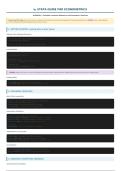
STATA GUIDE FOR ECONOMETRICS
ECON2061 | Complete Command Reference with Examples & Nuances
How to Use This Guide: Each section covers commands you'll need for your seminars and assignments. Pay special attention to the NUANCE boxes - these highlight
common mistakes and important details that can cost you marks.
1. GETTING STARTED: Loading Data & Basic Setup
Setting Your Working Directory
* Set the directory where your data files are stored
cd "J:/Economic Data Analysis"
* Now you can load files without typing the full path
Loading Data
* Load Stata data file (.dta)
use "filename.dta", clear
* Load Excel file
import excel "filename.xlsx", firstrow clear
* Load CSV file
import delimited "filename.csv", clear
⚡ NUANCE: Always use clear to remove existing data from memory before loading new data. Forgetting this causes errors when data is already loaded.
Getting Help
help regress * Opens help file for any command
search panel data * Search for commands related to a topic
2. EXPLORING YOUR DATA
Basic Data Inspection
describe * Shows variables, types, labels, # observations
browse * Opens data editor (view only)
browse, nolabel * Show numeric values, not labels
list var1 var2 in 1/10 * List first 10 observations
Descriptive Statistics
summarize * Basic stats for all variables
summarize wage educ experience * Stats for specific variables
summarize, detail * Includes percentiles, skewness, kurtosis
summarize if male==1 * Stats for subset (males only)
* Shorthand
sum wage educ * 'sum' is shorthand for 'summarize'
Tabulations & Cross-tabs
tabulate educ * Frequency table for one variable
tabulate educ male * Cross-tabulation of two variables
tabulate educ, summarize(wage) * Mean wage by education level
Correlations
correlate wage educ experience male * Correlation matrix
pwcorr wage educ, sig * Pairwise correlations with p-values
3. CREATING & MODIFYING VARIABLES
Generate New Variables
, * Create new variable
generate age_sq = age^2 * Squared term
generate log_wage = ln(wage) * Natural log
generate wage_exp = wage * experience * Interaction term
* Shorthand
gen age_sq = age^2 * 'gen' is shorthand for 'generate'
Replace Values
replace wage = 0 if wage < 0 * Replace negative wages with 0
replace educ = . if educ == 99 * Set to missing (. is missing in Stata)
Dummy Variables
* Create dummy manually
generate high_educ = (educ >= 4) * 1 if educ >= 4, 0 otherwise
* Create dummies from categorical variable
tabulate educ, generate(educ_d) * Creates educ_d1, educ_d2, etc.
⚠ WARNING - DUMMY VARIABLE TRAP: When including dummies for a categorical variable with k categories, include only k-1 dummies. The omitted category becomes the
reference group. Stata's factor variables handle this automatically.
Labeling Variables
rename educ EDUC * Rename variable
label variable wage "Hourly wage in euros" * Add description
* Value labels for categorical variables
label define gender_lbl 0 "Female" 1 "Male"
label values male gender_lbl
ECON2061 | Complete Command Reference with Examples & Nuances
How to Use This Guide: Each section covers commands you'll need for your seminars and assignments. Pay special attention to the NUANCE boxes - these highlight
common mistakes and important details that can cost you marks.
1. GETTING STARTED: Loading Data & Basic Setup
Setting Your Working Directory
* Set the directory where your data files are stored
cd "J:/Economic Data Analysis"
* Now you can load files without typing the full path
Loading Data
* Load Stata data file (.dta)
use "filename.dta", clear
* Load Excel file
import excel "filename.xlsx", firstrow clear
* Load CSV file
import delimited "filename.csv", clear
⚡ NUANCE: Always use clear to remove existing data from memory before loading new data. Forgetting this causes errors when data is already loaded.
Getting Help
help regress * Opens help file for any command
search panel data * Search for commands related to a topic
2. EXPLORING YOUR DATA
Basic Data Inspection
describe * Shows variables, types, labels, # observations
browse * Opens data editor (view only)
browse, nolabel * Show numeric values, not labels
list var1 var2 in 1/10 * List first 10 observations
Descriptive Statistics
summarize * Basic stats for all variables
summarize wage educ experience * Stats for specific variables
summarize, detail * Includes percentiles, skewness, kurtosis
summarize if male==1 * Stats for subset (males only)
* Shorthand
sum wage educ * 'sum' is shorthand for 'summarize'
Tabulations & Cross-tabs
tabulate educ * Frequency table for one variable
tabulate educ male * Cross-tabulation of two variables
tabulate educ, summarize(wage) * Mean wage by education level
Correlations
correlate wage educ experience male * Correlation matrix
pwcorr wage educ, sig * Pairwise correlations with p-values
3. CREATING & MODIFYING VARIABLES
Generate New Variables
, * Create new variable
generate age_sq = age^2 * Squared term
generate log_wage = ln(wage) * Natural log
generate wage_exp = wage * experience * Interaction term
* Shorthand
gen age_sq = age^2 * 'gen' is shorthand for 'generate'
Replace Values
replace wage = 0 if wage < 0 * Replace negative wages with 0
replace educ = . if educ == 99 * Set to missing (. is missing in Stata)
Dummy Variables
* Create dummy manually
generate high_educ = (educ >= 4) * 1 if educ >= 4, 0 otherwise
* Create dummies from categorical variable
tabulate educ, generate(educ_d) * Creates educ_d1, educ_d2, etc.
⚠ WARNING - DUMMY VARIABLE TRAP: When including dummies for a categorical variable with k categories, include only k-1 dummies. The omitted category becomes the
reference group. Stata's factor variables handle this automatically.
Labeling Variables
rename educ EDUC * Rename variable
label variable wage "Hourly wage in euros" * Add description
* Value labels for categorical variables
label define gender_lbl 0 "Female" 1 "Male"
label values male gender_lbl