100% satisfaction guarantee Immediately available after payment Both online and in PDF No strings attached 4,6 TrustPilot
logo-home
Exam (elaborations)

Probability and Statistics in Microsoft Excel Exam Questions with Verified Solutions (Graded A+)

Rating
-
Sold
-
Pages
4
Grade
A+
Uploaded on
15-11-2024
Written in
2024/2025

Probability and Statistics in Microsoft Excel Exam Questions with Verified Solutions (Graded A+) Excel functions for probability and statistics - Answers Excel provides more than 100 functions relating to probability and statistics. Charts and graphs in Excel - Answers Excel has a facility for constructing a wide range of charts and graphs for displaying data. Excel versions for statistical features - Answers The features included here are available in Excel Versions 4.0 and above. Statistical computing in Excel - Answers Excel is not designed for statistical computing; for advanced analysis, use a bespoke statistical package such as Minitab or SPSS. Analysis Toolpak - Answers Excel has an Analysis Toolpak optional 'add-in' facility that includes macros for carrying out many elementary statistical analyses. Dynamic linking of add-in output - Answers The output from the add-in is not dynamically linked to the source data; if any of the data change, the add-in must be run again to obtain updated output. Commercially available add-ins - Answers There are other commercially available add-ins that supplement Excel's statistical functionality, such as Analyse-it®, R-Excel, Unistat, XLSTAT, and StatTools. Sample total - Answers Sample total, Σx = SUM(x) Sample size - Answers Sample size, n = COUNT(x) Sample mean - Answers Sample mean, Σx/n = AVERAGE(x) Sample variance - Answers Sample variance, s² = VAR(x) Sample standard deviation - Answers Sample standard deviation, s = STDEV(x) Mean squared deviation - Answers Mean squared deviation = VARP(x) Root mean squared deviation - Answers Root mean squared deviation = STDEVP(x) Corrected sum of squares - Answers Corrected sum of squares, Sxx = DEVSQ(x) Raw sum of squares - Answers Raw sum of squares, Σx² = SUMSQ(x) Minimum value - Answers Minimum value = MIN(x) Maximum value - Answers Maximum value = MAX(x) Range - Answers Range = MAX(x) - MIN(x) Lower Quartile - Answers Lower Quartile, Q1 = QUARTILE(x, 1) Median - Answers Median, Q2 = MEDIAN(x) Upper Quartile - Answers Upper Quartile, Q3 = QUARTILE(x, 3) Interquartile range - Answers Interquartile range, IQR = QUARTILE(x, 3) - QUARTILE(x, 1) Kth Percentile - Answers Kth Percentile = PERCENTILE(x, K%) where K is a number between 0 and 100 Mode - Answers Mode = MODE(x) Grouped Frequency Data - Answers Assuming a frequency distribution with class midpoints stored in range x and frequencies in range f. Sample total for frequency data - Answers Sample total, Σfx = SUMPRODUCT(f, x) Sample mean for frequency data - Answers Sample mean, Σfx/n = SUMPRODUCT(f, x)/SUM(f) Graphical representations in Excel - Answers Excel offers a wide range of chart types for displaying data. Number of different combinations of m objects selected from n objects - Answers nCm = COMBIN(n, m) Number of different permutations of m objects selected from n objects - Answers nPm = PERMUT(n, m) Binomial Distribution - Answers Bin(n, p) P(X=a) for Binomial - Answers P(X=a) = BINOMDIST(a, n, p, FALSE) P(X≤a) for Binomial - Answers P(X≤a) = BINOMDIST(a, n, p, TRUE) Geometric Distribution - Answers Geom(p) P(X=a) for Geometric - Answers P(X=a) = BINOMDIST(1, a, p, FALSE)/a P(X≤a) for Geometric - Answers P(X≤a) = 1 - BINOMDIST(0, a, p, FALSE) Poisson Distribution - Answers Po(λ) P(X=a) for Poisson - Answers P(X=a) = POISSON(a, lambda, FALSE) P(X≤a) for Poisson - Answers P(X≤a) = POISSON(a, lambda, TRUE) Pascal Distribution - Answers Pasc(n, p) P(X=a) for Pascal - Answers P(X=a) = NEGBINOMDIST(a - n, n, p) P(X≤a) for Pascal - Answers P(X≤a) = BETADIST(p, n, a - n + 1)/BETADIST(1, n, a - n + 1) Normal Distribution - Answers N(µ, σ2)

Show more Read less
Institution
Probability And Statistics In Microsoft Excel
Course
Probability and Statistics in Microsoft Excel


Whoops! We can’t load your doc right now. Try again or contact support.

Written for

Institution
Probability and Statistics in Microsoft Excel
Course
Probability and Statistics in Microsoft Excel

Document information

Uploaded on
November 15, 2024
Number of pages
4
Written in
2024/2025
Type
Exam (elaborations)
Contains
Questions & answers

Subjects

Content preview

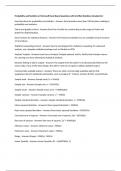
Probability and Statistics in Microsoft Excel Exam Questions with Verified Solutions (Graded A+)

Excel functions for probability and statistics - Answers Excel provides more than 100 functions relating to
probability and statistics.

Charts and graphs in Excel - Answers Excel has a facility for constructing a wide range of charts and
graphs for displaying data.

Excel versions for statistical features - Answers The features included here are available in Excel Versions
4.0 and above.

Statistical computing in Excel - Answers Excel is not designed for statistical computing; for advanced
analysis, use a bespoke statistical package such as Minitab or SPSS.

Analysis Toolpak - Answers Excel has an Analysis Toolpak optional 'add-in' facility that includes macros
for carrying out many elementary statistical analyses.

Dynamic linking of add-in output - Answers The output from the add-in is not dynamically linked to the
source data; if any of the data change, the add-in must be run again to obtain updated output.

Commercially available add-ins - Answers There are other commercially available add-ins that
supplement Excel's statistical functionality, such as Analyse-it®, R-Excel, Unistat, XLSTAT, and StatTools.

Sample total - Answers Sample total, Σx = SUM(x)

Sample size - Answers Sample size, n = COUNT(x)

Sample mean - Answers Sample mean, Σx/n = AVERAGE(x)

Sample variance - Answers Sample variance, s² = VAR(x)

Sample standard deviation - Answers Sample standard deviation, s = STDEV(x)

Mean squared deviation - Answers Mean squared deviation = VARP(x)

Root mean squared deviation - Answers Root mean squared deviation = STDEVP(x)

Corrected sum of squares - Answers Corrected sum of squares, Sxx = DEVSQ(x)

Raw sum of squares - Answers Raw sum of squares, Σx² = SUMSQ(x)

Minimum value - Answers Minimum value = MIN(x)

Maximum value - Answers Maximum value = MAX(x)

Range - Answers Range = MAX(x) - MIN(x)

Lower Quartile - Answers Lower Quartile, Q1 = QUARTILE(x, 1)
R140,39
Get access to the full document:

100% satisfaction guarantee
Immediately available after payment
Both online and in PDF
No strings attached


Document also available in package deal

Get to know the seller

Seller avatar
Reputation scores are based on the amount of documents a seller has sold for a fee and the reviews they have received for those documents. There are three levels: Bronze, Silver and Gold. The better the reputation, the more your can rely on the quality of the sellers work.
TutorJosh Chamberlain College Of Nursing
Follow You need to be logged in order to follow users or courses
Sold
361
Member since
1 year
Number of followers
16
Documents
29479
Last sold
6 days ago
Tutor Joshua

Here You will find all Documents and Package Deals Offered By Tutor Joshua.

3,6

58 reviews

5
20
4
15
3
12
2
0
1
11

Recently viewed by you

Why students choose Stuvia

Created by fellow students, verified by reviews

Quality you can trust: written by students who passed their exams and reviewed by others who've used these notes.

Didn't get what you expected? Choose another document

No worries! You can immediately select a different document that better matches what you need.

Pay how you prefer, start learning right away

No subscription, no commitments. Pay the way you're used to via credit card or EFT and download your PDF document instantly.

Student with book image

“Bought, downloaded, and aced it. It really can be that simple.”

Alisha Student

Frequently asked questions