100% satisfaction guarantee Immediately available after payment Both online and in PDF No strings attached 4.2 TrustPilot
logo-home
Exam (elaborations)

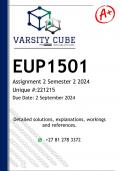
EUP1501 Assignment 2 (QUALITY ANSWERS) Semester 2 2024

Rating
-
Sold
-
Pages
12
Grade
A+
Uploaded on
25-08-2024
Written in
2024/2025

This document contains workings, explanations and solutions to the EUP1501 Assignment 2 (QUALITY ANSWERS) Semester 2 2024. For assistance whats-app us on 0.6.8..8.1.2..0.9.3.4... 1 Open the Word document EUP1501-MS Word Assessment downloaded with this document. 0 2 Above existing text, Type Exciting Internship Opportunity for Aspiring Social Media Influencers!, and press enter. 5 3 Select the title, and from the Text Effects and Typography gallery, in the second row, apply the fourth effect. Change the font size to 44. 6 4 With the title still selected, display the Font Color palette, and then in the last column, apply the second color. Center the title. 5 5 Position the insertion point at the end of the first paragraph and press enter Twice. Then copy and paste the picture below: 4 6 Change the Height of the picture to 3.49 and then change the Layout Options to Square. 10 7 Using the Position command, display the Layout dialog box and then change the Horizontal Alignment to Right relative to the Margin. 5 8 Apply a 10 Point Soft Edges picture effect to the image and then display the Artistic Effects gallery. Apply the Crisscross Etching effect. 5 9 Deselect the picture. Apply a 3 pt Page Border to the document using the Shadow setting. Select the first style and then display the color palette. In the fourth column, select the first color. 6 10 After Requirements: press enter and draw a Text Box. Change the Height of the text box to 4.5 and the Width to 10. 8 11 In the text box, type the following text: Strong understanding of various social media platforms (Instagram, TikTok, YouTube, etc.) Creativity and a knack for storytelling through captivating content Excellent communication skills, both written and verbal Ability to collaborate effectively with team members and influencers 6 12 In the text box, change font size of all the text to 11. Apply Bold and Bullets 4 13 Apply a Shape Style to the text box—under Theme Styles, select Colored Outline – Blue Accent 5 4 14 Insert Your Student_Number in the footer. 4 15 Create a numbered list (I.,II.,III..) using the text below: What You'll Gain: 4 16 Change the line spacing for the first paragraph and last paragraph to 1.5 4 17 Save your file as “”EUP1501 - MS Word Assessment 2-YourStudentNumber” and close the file, and then upload for submission. 0

Show more Read less


Whoops! We can’t load your doc right now. Try again or contact support.

Document information

Uploaded on
August 25, 2024
Number of pages
12
Written in
2024/2025
Type
Exam (elaborations)
Contains
Questions & answers

Subjects

Content preview

EUP1501
Assignment 2 Semester 2 2024
Unique #:221215
Due Date: 2 September 2024


This document includes:

• Helpful answers and guidelines
• Detailed explanations and/ or calculations
• References


Connect with the tutor on

+27 68 812 0934

, © Study Shack 2024. All rights Reserved +27 68 812 0934

Get to know the seller

Seller avatar
Reputation scores are based on the amount of documents a seller has sold for a fee and the reviews they have received for those documents. There are three levels: Bronze, Silver and Gold. The better the reputation, the more your can rely on the quality of the sellers work.
StudyShack Cornerstone College, Pretoria, Gauteng
View profile
Follow You need to be logged in order to follow users or courses
Sold
30701
Member since
9 year
Number of followers
13937
Documents
1800
Last sold
1 day ago
Study Guides for Unisa Students

4,1

1780 reviews

5
971
4
335
3
264
2
80
1
130

Recently viewed by you

Why students choose Stuvia

Created by fellow students, verified by reviews

Quality you can trust: written by students who passed their exams and reviewed by others who've used these notes.

Didn't get what you expected? Choose another document

No worries! You can immediately select a different document that better matches what you need.

Pay how you prefer, start learning right away

No subscription, no commitments. Pay the way you're used to via credit card or EFT and download your PDF document instantly.

Student with book image

“Bought, downloaded, and aced it. It really can be that simple.”

Alisha Student

Frequently asked questions