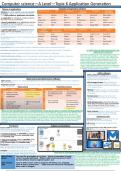
Computer science—A Level—Topic 6 Application Generation
Nature of applications Examples of application software
Software is a term used to cover all computer
programs, software falls into 3 broad catego-
ries: utility software, application and system.
An application is a program, routine or proce-
dure that runs on a computer.
A generic application is an application that has
no specific or narrow purpose –used to carry
out different tasks and tends to be the most
commonly installed.
A specific application is an application that is
highly specific and bespoke –tends to be in-
stalled on a system where there is a direct
need.
•A word processor is used for writing text-based
documents.
•DTP (Desktop publishing) used for writing doc-
uments like leaflets and newsletters as they
provide templates.
.•Spreadsheets are used to store numbers and values and perform calculations like bills.
•Database management allows a person to store, organise and retrieve data from a computer. In what ways do typical businesses use
applications software?
•Presentation used to make and display information in the form of a slideshow.
Application software are very important for business-
•Multimedia/video editing is used to manipulate and rearrange video shots to create a new work. es to use, for example in a school teaching media,
web browsers, social networking, video editing soft-
•Graphics manipulation allows you to edit graphics on a video or image. ware and DTP may be a good approach to this as
media students will require the web browser and
•Text and voice communication allows communication online, either with voice chat or text. social networking to research any news, and then
perhaps may be asked to produce a video about it
•Social networking allows individuals to connect with one another to communicate and share data. using a video editing software and then a newspaper
article using DTP. In conclusion application software
•Email clients allow users to view and manage another user’s email sent to them. is helpful for businesses in many ways.
•Web browsers are used to browse the internet and provide you with the result of your searches.
•Games are used for entertainment. Utility software
Utility software is designed to keep your
computer safe, make sure its running effi-
ciently and provides you with useful tools to
Open source and closed source software manage files and applications.
Open source– software for which the original source code is made freely available and may be redistribut-
ed and modified. •File manager/repair-Allows directories,
Proprietary source– software which the source code is not shared with the public for anyone to look at or folders and files to be created, moved,
make changes to. copied and deleted, restore a corrupted file
Open source Proprietary source to its original state.
•Backup-Provides a way to recover data in
case the original copy gets lost, deleted or
corrupted.
•Compression-Reduces the amount of
space information takes up on a storage
device.
•Disk defragmenters-Over time, files on a
hard drive can become split up and spread
apart making retrieval of files slower, this
software helps to consolidate the parts of
the file back together.
What are the considerations for a school between choosing an open or closed learning platform? •Anti-malware-Helps to detect and remove
The school first needs to adjust the source code to fit their school website, however if not then the first con- malicious programs that have been de-
sideration would be the cost if there is one, for example is it a monthly subscription pay or one time pur- signed to harm the computer or its files.
chase and how expensive will it be, they also need to make sure the learning platform they choose is regular- Additional notes
ly being updated by a reliable team of developers as the platform needs to be supported and professionally
built however will a proprietary platform allow students to log on from home for free on their own comput- Incremental backup—backup only the new
er? These are the considerations a school must think about before choosing an open or closed learning data after the most recent backup.
platform.
Full backup– backup that will backup the
Diagram of translations whole thing.
Translators
Source code-An understandable, maintainable Defragmentation does not happen with a
code that can be debugged easily—must be SSD as it has no moving parts.
translated to machine code to execute.
In low level language: an assembler is used to
translate low level language (assembly code)
into machine code.
In high level language: Either a compiler or in-
terpreter is used to translate high level lan-
guage (source code) into machine code.
Interpreter—Translates source code into machine
code then executes it line by line, it will output
lines of code until it reaches the error.
Compiler– Translates the entirety of a code’s
source code into machine code in one go, it will How does a VB program become the binary code that a computer can execute?
not let a program output while there is an error.
Source code is a high level language therefore it can be
Adv. Of Inter- -No need for translation at run time. -Speed of execution is faster. translated into machine code in 2 ways: by a compiler or by
preter -Code is usually optimised. -Object code is more secure as it can’t an interpreter. An interpreter will translate the code line by
be read without reverse engineering the .exe line, this means each line that is translated into machine
code will be executed before translating the next line, it will
Adv. Of Com- -Easy to write source code as program will always run, stopping only break if it encounters an error. A compiler will translate
piler when it finds a syntax error. –Code does not need to be recompiled the entirety of the code, this means that all errors must be
when code is changed. debugged otherwise the program will not run.
Nature of applications Examples of application software
Software is a term used to cover all computer
programs, software falls into 3 broad catego-
ries: utility software, application and system.
An application is a program, routine or proce-
dure that runs on a computer.
A generic application is an application that has
no specific or narrow purpose –used to carry
out different tasks and tends to be the most
commonly installed.
A specific application is an application that is
highly specific and bespoke –tends to be in-
stalled on a system where there is a direct
need.
•A word processor is used for writing text-based
documents.
•DTP (Desktop publishing) used for writing doc-
uments like leaflets and newsletters as they
provide templates.
.•Spreadsheets are used to store numbers and values and perform calculations like bills.
•Database management allows a person to store, organise and retrieve data from a computer. In what ways do typical businesses use
applications software?
•Presentation used to make and display information in the form of a slideshow.
Application software are very important for business-
•Multimedia/video editing is used to manipulate and rearrange video shots to create a new work. es to use, for example in a school teaching media,
web browsers, social networking, video editing soft-
•Graphics manipulation allows you to edit graphics on a video or image. ware and DTP may be a good approach to this as
media students will require the web browser and
•Text and voice communication allows communication online, either with voice chat or text. social networking to research any news, and then
perhaps may be asked to produce a video about it
•Social networking allows individuals to connect with one another to communicate and share data. using a video editing software and then a newspaper
article using DTP. In conclusion application software
•Email clients allow users to view and manage another user’s email sent to them. is helpful for businesses in many ways.
•Web browsers are used to browse the internet and provide you with the result of your searches.
•Games are used for entertainment. Utility software
Utility software is designed to keep your
computer safe, make sure its running effi-
ciently and provides you with useful tools to
Open source and closed source software manage files and applications.
Open source– software for which the original source code is made freely available and may be redistribut-
ed and modified. •File manager/repair-Allows directories,
Proprietary source– software which the source code is not shared with the public for anyone to look at or folders and files to be created, moved,
make changes to. copied and deleted, restore a corrupted file
Open source Proprietary source to its original state.
•Backup-Provides a way to recover data in
case the original copy gets lost, deleted or
corrupted.
•Compression-Reduces the amount of
space information takes up on a storage
device.
•Disk defragmenters-Over time, files on a
hard drive can become split up and spread
apart making retrieval of files slower, this
software helps to consolidate the parts of
the file back together.
What are the considerations for a school between choosing an open or closed learning platform? •Anti-malware-Helps to detect and remove
The school first needs to adjust the source code to fit their school website, however if not then the first con- malicious programs that have been de-
sideration would be the cost if there is one, for example is it a monthly subscription pay or one time pur- signed to harm the computer or its files.
chase and how expensive will it be, they also need to make sure the learning platform they choose is regular- Additional notes
ly being updated by a reliable team of developers as the platform needs to be supported and professionally
built however will a proprietary platform allow students to log on from home for free on their own comput- Incremental backup—backup only the new
er? These are the considerations a school must think about before choosing an open or closed learning data after the most recent backup.
platform.
Full backup– backup that will backup the
Diagram of translations whole thing.
Translators
Source code-An understandable, maintainable Defragmentation does not happen with a
code that can be debugged easily—must be SSD as it has no moving parts.
translated to machine code to execute.
In low level language: an assembler is used to
translate low level language (assembly code)
into machine code.
In high level language: Either a compiler or in-
terpreter is used to translate high level lan-
guage (source code) into machine code.
Interpreter—Translates source code into machine
code then executes it line by line, it will output
lines of code until it reaches the error.
Compiler– Translates the entirety of a code’s
source code into machine code in one go, it will How does a VB program become the binary code that a computer can execute?
not let a program output while there is an error.
Source code is a high level language therefore it can be
Adv. Of Inter- -No need for translation at run time. -Speed of execution is faster. translated into machine code in 2 ways: by a compiler or by
preter -Code is usually optimised. -Object code is more secure as it can’t an interpreter. An interpreter will translate the code line by
be read without reverse engineering the .exe line, this means each line that is translated into machine
code will be executed before translating the next line, it will
Adv. Of Com- -Easy to write source code as program will always run, stopping only break if it encounters an error. A compiler will translate
piler when it finds a syntax error. –Code does not need to be recompiled the entirety of the code, this means that all errors must be
when code is changed. debugged otherwise the program will not run.