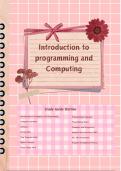
Introduction to
programming and
Computing
Study Guide Outline
Introduction to Computers and Programming Programming Languages
Computer Hardware Programming Basics
Software Compilers and Interpreters
Storing Data Graphical User Interface (GUI)
How Programs Work The .NET Framework
Digital Concepts Program Development Process
Visual Studio 2019
, Understanding
Programming and Computing
Introduction to Computers and Programming
What is a Program?
A program is a set of instructions that a computer follows to perform a task. Programs are
commonly referred to as software. Without software, computers cannot do anything.
Who Creates Software?
Programmers, or software developers, are the people with the training and skills necessary to
design, create, and test programs.
Understanding Computer Hardware
What is Hardware?
Hardware refers to all physical devices that make up a computer. A computer system consists of
several pieces of hardware, each performing specific tasks.
Key Components of a Computer System:
1. CPU (Central Processing Unit): The part that runs programs. The CPU is the most important part
of a computer. Today’s CPUs are microprocessors. Commonly used CPU vendors include Intel and
AMD.
2. Main Memory (RAM): The computer's work area where it loads instructions and data for
processing. RAM, or random-access memory, allows quick access to data stored at any random
location. RAM is a volatile type of memory, meaning its contents are erased when the computer is
powered off.
3. Secondary Storage Devices: Devices that can hold data for long periods of time, even when the
power is off. This is where important data and system files are stored. The most commonly used is
the disk drive, which stores data by magnetically encoding it onto a circular disk. Solid state drives
(SSDs) have no moving parts and operate faster than traditional disk drives. Optical devices such as
DVD-ROMs and CD-ROMs are also popular. USB drives and SD memory cards are small devices that
plug into a port.
4. Input Devices: Tools used to input data into the computer, such as keyboards and mice.
5. Output Devices: Tools used to get data out of the computer, such as monitors and printers.
programming and
Computing
Study Guide Outline
Introduction to Computers and Programming Programming Languages
Computer Hardware Programming Basics
Software Compilers and Interpreters
Storing Data Graphical User Interface (GUI)
How Programs Work The .NET Framework
Digital Concepts Program Development Process
Visual Studio 2019
, Understanding
Programming and Computing
Introduction to Computers and Programming
What is a Program?
A program is a set of instructions that a computer follows to perform a task. Programs are
commonly referred to as software. Without software, computers cannot do anything.
Who Creates Software?
Programmers, or software developers, are the people with the training and skills necessary to
design, create, and test programs.
Understanding Computer Hardware
What is Hardware?
Hardware refers to all physical devices that make up a computer. A computer system consists of
several pieces of hardware, each performing specific tasks.
Key Components of a Computer System:
1. CPU (Central Processing Unit): The part that runs programs. The CPU is the most important part
of a computer. Today’s CPUs are microprocessors. Commonly used CPU vendors include Intel and
AMD.
2. Main Memory (RAM): The computer's work area where it loads instructions and data for
processing. RAM, or random-access memory, allows quick access to data stored at any random
location. RAM is a volatile type of memory, meaning its contents are erased when the computer is
powered off.
3. Secondary Storage Devices: Devices that can hold data for long periods of time, even when the
power is off. This is where important data and system files are stored. The most commonly used is
the disk drive, which stores data by magnetically encoding it onto a circular disk. Solid state drives
(SSDs) have no moving parts and operate faster than traditional disk drives. Optical devices such as
DVD-ROMs and CD-ROMs are also popular. USB drives and SD memory cards are small devices that
plug into a port.
4. Input Devices: Tools used to input data into the computer, such as keyboards and mice.
5. Output Devices: Tools used to get data out of the computer, such as monitors and printers.