ECD1501
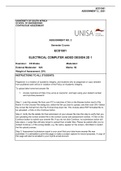
ASSIGNMENT 2_ 2021
UNIVERSITY OF SOUTH AFRICA
SCHOOL OF ENGINEERING
CONTINUOUS ASSESSMENT
ASSUGNMENT NO: 2
Semester Course
ECD1501
ELECTRICAL COMPUTER AIDED DESIGN 2D 1
Examiner: CS Shoba Moderator:
External Moderator: N/A Marks: 50
Weight of Assessment: 20%
INSTRUCTIONS TO ALL STUDENTS:
Plagiarism is a violation of academic integrity, and students who do plagiarize or copy verbatim
from published work will be in violation of the Policy on Academic Integrity.
To upload take home test answer file
1. Access myUnisa at https://my.unisa.ac.za/portal and login using your student number
and myUnisa password
Step 1: Load the answer file from your PC to myUnisa Click on the Browse button next to File
Name In the Choose File dialog box, select the file you want to upload, and then click OK Select
the correct file format from the File Format drop-down list. This module allow PDF formatted file to
be uploaded. Click on the Continue button.
Step 2: Verify the file details for final submission of your answer file Use this step to verify that you
are uploading the correct answer file to the correct course and assessment number. Click on the
Continue button to submit your answer file. If you do not click Continue, no submission action will
take place. Large files will take longer to upload than smaller files. Please be patient after you’ve
clicked Continue. If the wrong details, e.g. file name, appear on the screen, click Back to restart
the file upload process.
Step 3: Assessment submission report is your proof that your take-home answer file was
submitted. It is advisable to print this page or make a screen capture for record purposes. A copy of
this page will also be emailed to your myLife email account.
ASSIGNMENT 2_ 2021
UNIVERSITY OF SOUTH AFRICA
SCHOOL OF ENGINEERING
CONTINUOUS ASSESSMENT
ASSUGNMENT NO: 2
Semester Course
ECD1501
ELECTRICAL COMPUTER AIDED DESIGN 2D 1
Examiner: CS Shoba Moderator:
External Moderator: N/A Marks: 50
Weight of Assessment: 20%
INSTRUCTIONS TO ALL STUDENTS:
Plagiarism is a violation of academic integrity, and students who do plagiarize or copy verbatim
from published work will be in violation of the Policy on Academic Integrity.
To upload take home test answer file
1. Access myUnisa at https://my.unisa.ac.za/portal and login using your student number
and myUnisa password
Step 1: Load the answer file from your PC to myUnisa Click on the Browse button next to File
Name In the Choose File dialog box, select the file you want to upload, and then click OK Select
the correct file format from the File Format drop-down list. This module allow PDF formatted file to
be uploaded. Click on the Continue button.
Step 2: Verify the file details for final submission of your answer file Use this step to verify that you
are uploading the correct answer file to the correct course and assessment number. Click on the
Continue button to submit your answer file. If you do not click Continue, no submission action will
take place. Large files will take longer to upload than smaller files. Please be patient after you’ve
clicked Continue. If the wrong details, e.g. file name, appear on the screen, click Back to restart
the file upload process.
Step 3: Assessment submission report is your proof that your take-home answer file was
submitted. It is advisable to print this page or make a screen capture for record purposes. A copy of
this page will also be emailed to your myLife email account.