This shared space is used to launch new activities. **We use explicit intents, as
otherwise they can do what they want with your images for example?
→ When you create an intent, you need to create a bundle inside intent that invokes
Security different activities.
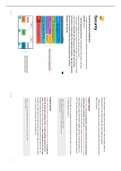
Android Security Architecture Implicit Intents
→ All apps share the content providers, notification system etc and need to be Implicit intents do not name/specify a specific component, but instead declare
explicitly secured a general action to perform, which allows a component from another app to handle
→ Android Application Runtime: Android apps are often written in the Java it. For example, if you want to show the user a location on a map, you can use an
programming language and run in the Android runtime (ART). implicit intent to request that another capable app show a specified location on a
→ Many apps, including core Android services and apps, are native apps or include map. Can ask for everything. Can override native camera on someone’s phone ie.
native libraries. Both ART and native apps run within the same security
environment, contained within the Application Sandbox. Apps get a dedicated
Intent provides info on available components provided by the system to be invoked.
part of the file system in which they can write private data, including
Ie, setting default browser. ie:
databases and raw files.
Intent intent = new Intent(Intent.ACTION_VIEW)
intent.setData(Uri.parse("https://wwww.javapoint.com"))
startActivity(intnet)
Explicit intents
Explicit intents specify which application will satisfy the intent, by supplying
either the target app's package name or a fully-qualified component class
name. You'll typically use an explicit intent to start a component in your own app,
because you know the class name of the activity or service you want to start. For
example, you might start a new activity within your app in response to a user action,
or start a service to download a file in the background.
Intent i = new Intent(getApplicationContext(), ActivityTwo.class)
startActivity(i)
Security 1 Security 2
otherwise they can do what they want with your images for example?
→ When you create an intent, you need to create a bundle inside intent that invokes
Security different activities.
Android Security Architecture Implicit Intents
→ All apps share the content providers, notification system etc and need to be Implicit intents do not name/specify a specific component, but instead declare
explicitly secured a general action to perform, which allows a component from another app to handle
→ Android Application Runtime: Android apps are often written in the Java it. For example, if you want to show the user a location on a map, you can use an
programming language and run in the Android runtime (ART). implicit intent to request that another capable app show a specified location on a
→ Many apps, including core Android services and apps, are native apps or include map. Can ask for everything. Can override native camera on someone’s phone ie.
native libraries. Both ART and native apps run within the same security
environment, contained within the Application Sandbox. Apps get a dedicated
Intent provides info on available components provided by the system to be invoked.
part of the file system in which they can write private data, including
Ie, setting default browser. ie:
databases and raw files.
Intent intent = new Intent(Intent.ACTION_VIEW)
intent.setData(Uri.parse("https://wwww.javapoint.com"))
startActivity(intnet)
Explicit intents
Explicit intents specify which application will satisfy the intent, by supplying
either the target app's package name or a fully-qualified component class
name. You'll typically use an explicit intent to start a component in your own app,
because you know the class name of the activity or service you want to start. For
example, you might start a new activity within your app in response to a user action,
or start a service to download a file in the background.
Intent i = new Intent(getApplicationContext(), ActivityTwo.class)
startActivity(i)
Security 1 Security 2