CERTIFIED
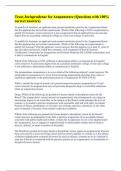
EXCEL CRASH COURSE
EXAM FROM WALL STREET
PREP
80+ (2025-2026 Full Exam Kit) Solved Q&A | Correct & Verified
Answers
100% Guaranteed Pass Rate
Complete exam EXCEL CRASH COURSE EXAM FROM
✓
coverage: WALL STREET PREP
✓ 100% Accurate & Verified Questions and Answers
✓ Reviewed by Subject Matter Experts
✓ Updated for current exam objectives
✓ Instant digital download after purchase
Trusted by thousands of students and professionals worldwide • © 2025-2026
,Questions
Question 1
All of the following are keyboard shortcut that allow the user input to add more sheets to a workbook EXCEPT:
Correct Answer
Alt h i w
Question 2
What is a keyboard shortcut to open a file?
Correct Answer
Ctrl o
Question 3
What is the recommended workbook calculation setting for Excel?
Correct Answer
Automatic except for Data Tables
Question 4
To add a cell reference from a different worksheet into an existing formula with your keyboard, you should follow the following
steps:
Correct Answer
1. Hit F2 to get into the existing formula; delete any incorrect formulas or operators 2. Hit F2 again to enable "Enter" mode
on the bottom-left corner of the Excel sheet 3. Holding down Ctrl, use PageUp or PageDown to find the desired worksheet 4.
Let go of the Ctrl and PageUp/Down keys 5. Use the arrow keys to locate the desired cell reference 6. Hit Enter
, Question 5
Alt h o i
Correct Answer
exact column width
Question 6
Alt h o w
Correct Answer
identical column widths
Question 7
Alt h o h
Correct Answer
identical column height
Question 8
Control + Space
Correct Answer
highlight column
Question 9
Shift + Space
Correct Answer
highlight row
EXCEL CRASH COURSE
EXAM FROM WALL STREET
PREP
80+ (2025-2026 Full Exam Kit) Solved Q&A | Correct & Verified
Answers
100% Guaranteed Pass Rate
Complete exam EXCEL CRASH COURSE EXAM FROM
✓
coverage: WALL STREET PREP
✓ 100% Accurate & Verified Questions and Answers
✓ Reviewed by Subject Matter Experts
✓ Updated for current exam objectives
✓ Instant digital download after purchase
Trusted by thousands of students and professionals worldwide • © 2025-2026
,Questions
Question 1
All of the following are keyboard shortcut that allow the user input to add more sheets to a workbook EXCEPT:
Correct Answer
Alt h i w
Question 2
What is a keyboard shortcut to open a file?
Correct Answer
Ctrl o
Question 3
What is the recommended workbook calculation setting for Excel?
Correct Answer
Automatic except for Data Tables
Question 4
To add a cell reference from a different worksheet into an existing formula with your keyboard, you should follow the following
steps:
Correct Answer
1. Hit F2 to get into the existing formula; delete any incorrect formulas or operators 2. Hit F2 again to enable "Enter" mode
on the bottom-left corner of the Excel sheet 3. Holding down Ctrl, use PageUp or PageDown to find the desired worksheet 4.
Let go of the Ctrl and PageUp/Down keys 5. Use the arrow keys to locate the desired cell reference 6. Hit Enter
, Question 5
Alt h o i
Correct Answer
exact column width
Question 6
Alt h o w
Correct Answer
identical column widths
Question 7
Alt h o h
Correct Answer
identical column height
Question 8
Control + Space
Correct Answer
highlight column
Question 9
Shift + Space
Correct Answer
highlight row